Write lyrics that hit
Your songwriting studio on iPhone and iPad. Write with rhymes and syllables on every line, let AI complete or rewrite a line, record your voice over a beat and write with your crew.
Everything in one studio
- Rhymes and flowRhymes, other words with the same syllables, and the syllables and rhyme scheme of every line.
- Write with AIComplete suggests your next line. Rewrite reworks one and keeps its syllables.
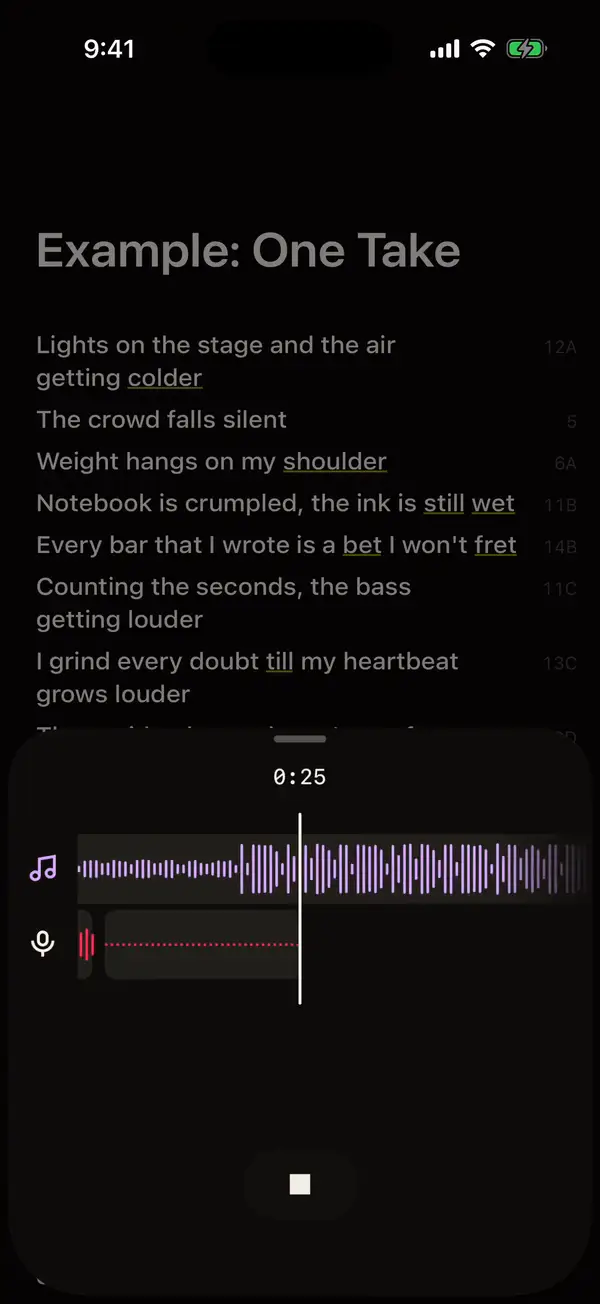
- Beats and vocals100+ beats, or one made with AI. Record your voice over it and share the song.
- Together, in syncWrite a song with your crew. Songs in folders, synced with your iCloud.
Find the rhyme that fits
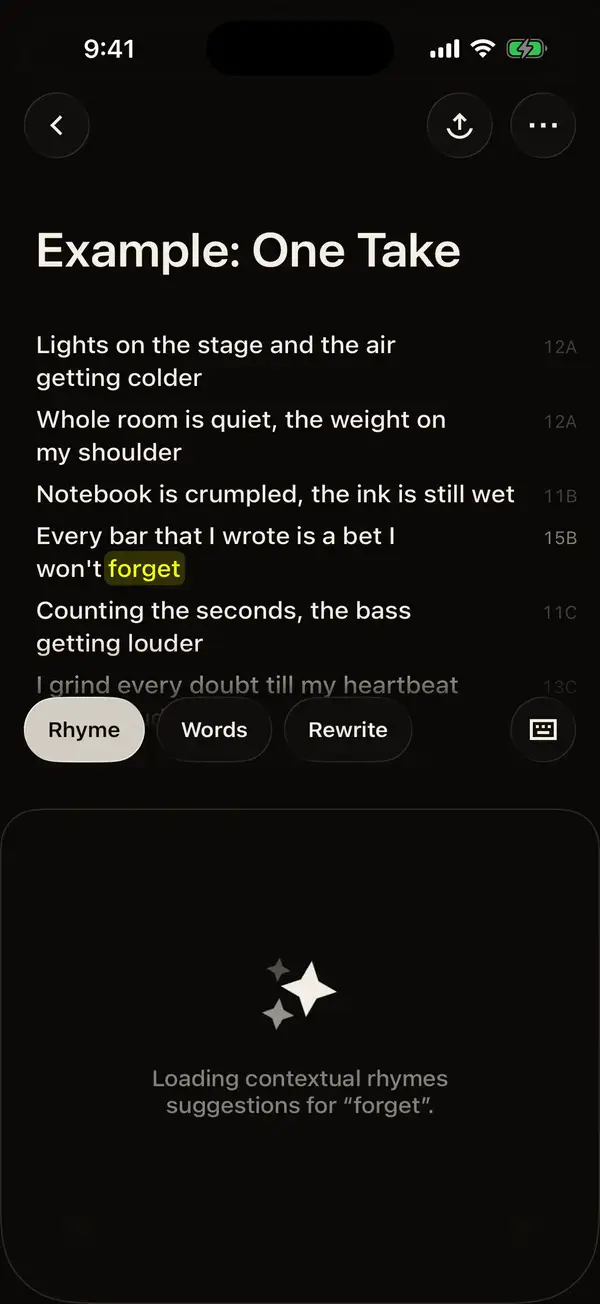
Long-press a word. Rhyme shows perfect, multisyllabic and slant rhymes with their syllables; Words shows other words with the same syllables, and images for your lyric.
Try the rhyme findercolder 2
Perfect rhymes
- older2
- shoulder2
- bolder2
- folder2
- holder2
- boulder2
Multisyllabic
- over2
- closer2
- soldier2
- beholder3
- shareholder3
Slant rhymes
- world1
- colored2
- elder2
- balder2
- milder2
Keep every bar in time
Syllables and a rhyme letter on every line: your flow and rhyme scheme, as you write. Below, “One Take”, the app’s example song.
- Lights on the stage and the air getting colder
- Whole room is quiet, the weight on my shoulder
- Notebook is crumpled, the ink is still wet
- Every bar that I wrote is a bet I won't regret
- One take, no breaks, no second round
- Heart racing, floor shaking, I won't back down
- One take, all stakes, I own this sound
- If I fall tonight, I fall with the crown
- Syllable counter on every line, for bars that land on the beat.
- Rhyme scheme letters that update as you type.
- Lyric Coach notes for clichés, repeated words and uneven lines.
Never stuck on a line
Complete suggests your next line, in your flow. Rewrite keeps the syllables and changes the words. Or start a song from a topic, a mood and a genre.
How AI can help songwriters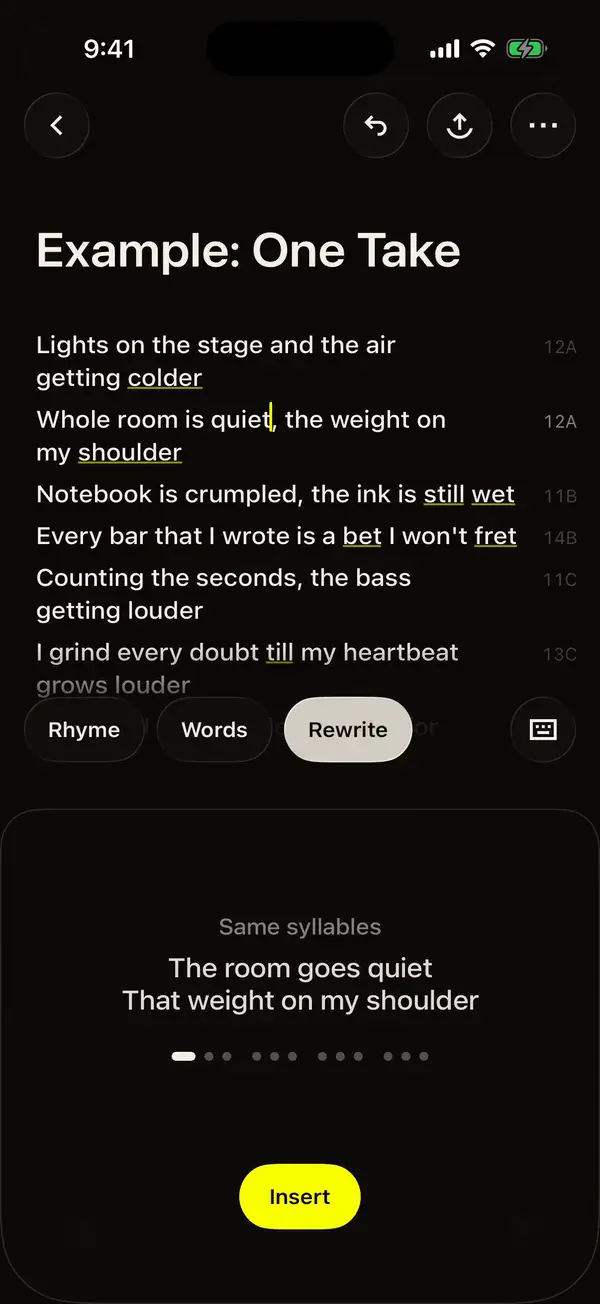
Put it on a beat, take two
Pick from 100+ beats or generate one with AI. Record over it, listen back, share to Instagram, TikTok or WhatsApp.
Write it with your crew
Invite a co-writer, producer or artist by Messages, Mail or link. See who’s writing; their lines land in seconds, merged with yours.
Edit or view only: you choose for each person.
One Take
- One take, no breaks, no second round
- Heart racing, floor shaking, I won't back down
- One take, all stakes, I own this sound
- If I fall tonight, I fall with the crown
Marco is writing…
Your songs, all in view
Folders for drafts, singles and projects. Lyrics, beat and takes stay together, backed up in your iCloud and synced across iPhone and iPad.
No account needed. New phone? Your songs come back.
Songs
- One TakeToday · shared
- Midnight driveYesterday
- Gold on my mindMon · shared
- Voice memo, hook ideaOct 21
Your songs are saved · now
Free in your browser, try one
- Rhyme finderPerfect, multisyllabic and slant rhymes for any word, with syllable counts.
- Syllable counterPaste your lyrics and see the syllables of every line.
- Rhyme scheme checkerSee which lines rhyme and the letters of your rhyme scheme.
- Song idea generatorA theme, a mood, an image and title ideas for your next song.
- Lyric checkerSpot clichés, repeated words and lines that won’t sit on the same beat.
Questions, answered
Questions about Lyric Studio
What is Lyric Studio?
Lyric Studio is a songwriting app for iPhone and iPad. You write your lyrics in a notepad that shows rhymes, syllables and the rhyme scheme of every line, add a beat from the library or generate one with AI, and record your voice over it. It is made by Bakery Scent Srl, an Italian company.
Is Lyric Studio free?
Lyric Studio is free to download and to write with. An optional Pro subscription adds more of the AI features; the price is shown in the app before you subscribe, and you can cancel any time from your Apple ID settings.
How does the rhyme finder in the app work?
Long-press a word in your lyrics and Lyric Studio shows its perfect, multisyllabic and slant rhymes, each with its syllable count, from a dictionary of 130K+ words. Tap a rhyme to copy it, or hold it to put it in place of the word.
Can I write a song with someone else in Lyric Studio?
Yes. Tap Share on a song and choose Write together, then invite people by Messages, Mail or a link, as “can make changes” or “view only”. You see who has the song open and who is writing, and their changes appear in a few seconds, merged line by line with yours.
Are my songs backed up?
Yes, in your own iCloud, with no account or sign-in: your songs, recordings and beats come back on a new iPhone or after a reinstall, and stay in sync between your iPhone and iPad. They are stored in your iCloud, not on our servers. Backup needs iOS 17 or later.
Can AI write lyrics for me in Lyric Studio?
Yes. The AI lyric generator writes a verse or a full song from a topic, a mood and a genre, and AI autocomplete suggests the next line in your style. Most writers use them to get unstuck, then rewrite in their own words.
Are the tools on this website free?
Yes. The rhyme finder, syllable counter, rhyme scheme checker and lyric checker are free, need no account, and work in your browser without sending your lyrics anywhere.

Write your next song tonight
Rhymes, syllables, beats and your voice in one notepad. Free on iPhone and iPad.
Download on the App Store