Back to articles
How to Create Beats from Scratch
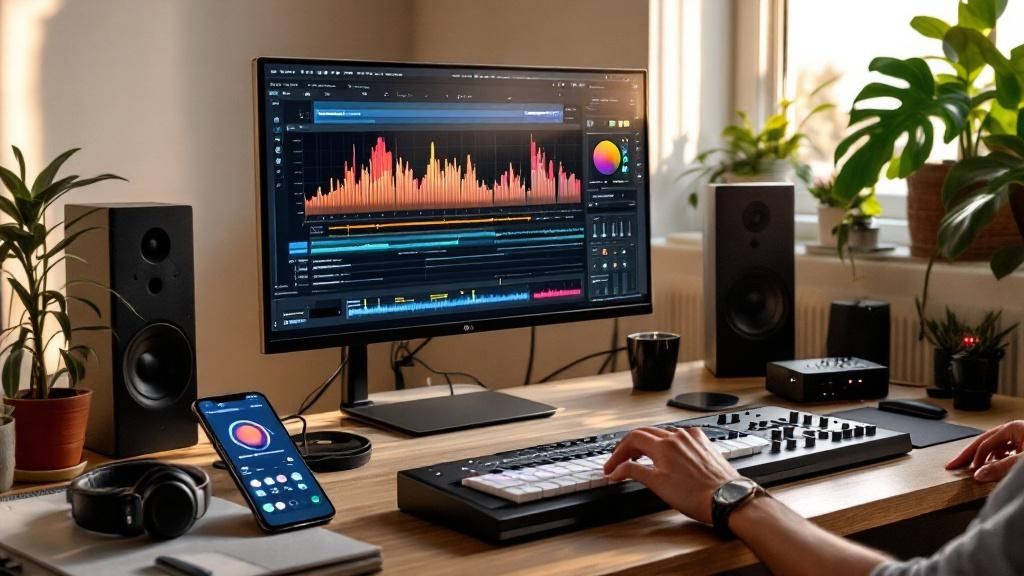
So, you’re staring at a blank project file. We’ve all been there. It feels like you’re supposed to pull a masterpiece out of thin air, but the secret to making beats is way simpler than that. It’s really just about stacking three things: rhythm, bass, and melody. You’re not writing a symphony—you're just trying to create a vibe.
Forget the intimidating tech manuals. This is your practical starting point for making music you'll actually want to listen to.
Getting Started Without Getting Overwhelmed

Look, your first beat is about passion, not perfection. You don’t need years of music theory to get going. Think of it less like composing and more like playing with LEGOs. You have a bunch of different pieces, and your only job is to see how they click together.
The command center for any modern producer is their Digital Audio Workstation (DAW). This is the software where you'll bring all the pieces of your beat together. Inside your DAW, you’ll be working with a few foundational components that make up pretty much every track you've ever heard.
Here’s a quick look at the fundamental elements you'll combine to create a compelling beat.
Core Components of Your First Beat
Component | What It Does | Its Role in Your Beat |
|---|---|---|
Drums (Rhythm) | Creates the pulse and energy. | This is the skeleton. The kick, snare, and hi-hats form a pattern that makes people want to move. |
Bassline (Groove) | Connects the rhythm to the melody. | The bass gives your beat weight and makes it sound full and powerful. It’s the harmonic anchor. |
Melody (Emotion) | The most memorable, catchy part. | This is what people hum along to. It can be a simple synth line, piano chords, or a vocal sample that sets the mood. |
Understanding how these three parts play off each other is the most important thing you can learn right now. They form the sonic triangle that every listener instinctively connects with.
Your first goal isn't to create a chart-topping hit. It’s to make a loop that you enjoy listening to. Start small, build confidence, and the complexity will follow naturally.
How AI Is Changing the Game
These days, artificial intelligence has become a huge part of making music, and it’s completely changing how producers work. AI tools can spark ideas, handle some of the tedious parts of the process, and even help with the final polish. For anyone just starting out, this is amazing news—it lowers the technical hurdles and lets you experiment more freely. You can read more about AI's impact on music production to see where things are headed.
This is exactly where a creative assistant like Lyric Studio fits in.
Instead of fighting that blank-screen feeling, you can use features like “Magic Draft” to instantly generate a first verse-and-chorus. Right away, you have a lyrical and rhythmic theme to build your beat around. It’s like having a collaborator who’s always on and ready with a fresh idea. The app’s AI-driven, context-aware lyric suggestions adapt to your chosen genre and mood, so you get inspiration that feels authentic to your style. This whole approach helps you shift from just being a music lover to being a music creator.
Ready to stop dreaming and start doing? Download Lyric Studio free on iOS and get that first beat down today. In-app purchases may apply.
Your Beat-Making Toolkit: What You Actually Need
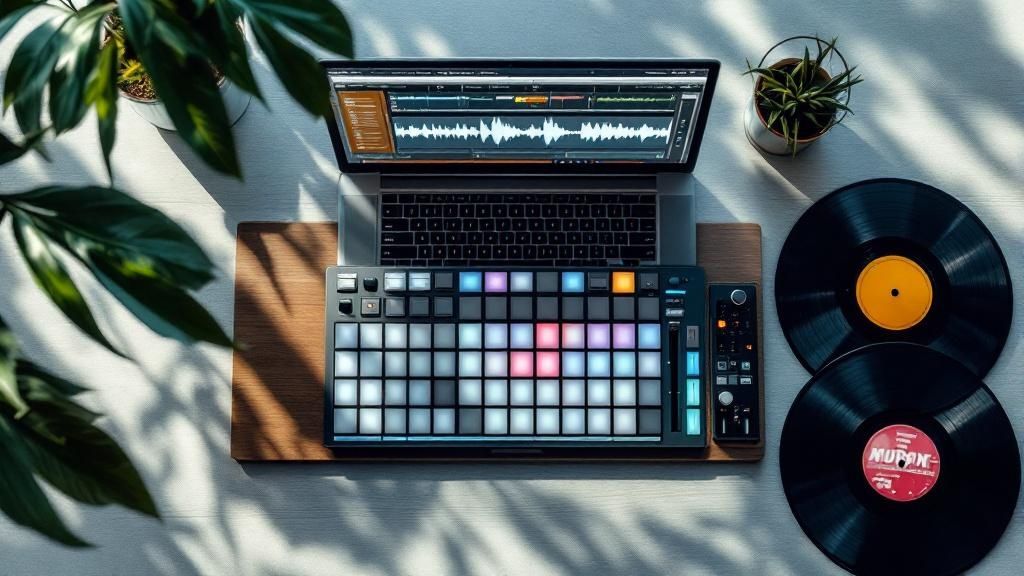
The right gear can feel like a creative superpower, but you don't need a million-dollar studio to start cooking up beats. The real secret? Focus on tools that fit your actual goals, not just what you see the pros using. Let’s cut through the noise and get you set up fast.
Your command center for making music is your Digital Audio Workstation (DAW). This is the software where you'll bring everything together—your drums, basslines, melodies, and samples. If you're just starting, free options like GarageBand (for Mac users) are fantastic for getting your feet wet without spending a dime.
As you get more serious, you'll probably want to check out industry-standard DAWs like Ableton Live or FL Studio. These powerhouses offer much deeper features for sound design, mixing, and arranging, but they do come with a bit of a learning curve. Don’t feel pressured to jump in too soon.
What About All the Extra Gear?
So, do you need that flashy MIDI keyboard or a complicated audio interface? Honestly, probably not—at least, not right away.
A MIDI keyboard is great for playing in melodies more naturally than clicking with a mouse, but it's not a must-have on day one. An audio interface is only necessary if you plan on recording vocals with a microphone or plugging in a real guitar.
For now, your computer keyboard and mouse are more than enough to start programming beats and learning the ropes. If you want a deeper dive into the essentials, check out our complete guide on beat making for beginners.
The best toolkit is the one that removes friction, not one that adds complexity. If a piece of gear or software feels overwhelming, it's slowing you down. Start simple and only add new tools when you feel a specific creative roadblock.
The All-in-One Advantage
One of the biggest creativity killers for new producers is bouncing between different apps—one for beats, another for lyrics, and a third for recording. That constant switching just breaks your flow. This is where having everything in one place makes a massive difference.
Lyric Studio was designed to solve this exact problem and keep you locked in that creative zone. It's way more than just a songwriting assistant; it puts a whole studio's worth of tools at your fingertips. Imagine getting AI-powered lyric suggestions that perfectly fit your track's genre and mood, right next to an integrated thesaurus and rhyme finder. This setup ensures your beat and your vocals are telling the same story from the very beginning. You’re not just making a loop; you're building a complete, cohesive song.
By bringing beat-making and songwriting under one roof, you spend less time fumbling with software and more time actually making music. This synergy helps you get from that first spark of an idea to a finished track faster than you thought possible.
Building Your Beat from the Ground Up
Alright, let's get into the fun part—actually making the music. This is where you take that flicker of an idea and build it into a full-fledged beat. Forget all the complicated music theory for a second. At its core, beat-making is about finding sounds that click together, layering them, and creating a vibe.
And it all starts with the foundation: the drums.
Laying Down the Foundation: Drums and Bass
Think of your drum pattern as the skeleton of your track. It's the pulse, the energy that everything else will lock onto. You don't need to get fancy right away. In fact, it's better to start simple.
Grab a kick, a snare, and some hi-hats. That's your core toolkit. Program a basic four-bar loop to get things moving. A classic move is to place the kick on the first and third beats and the snare on the second and fourth. This is that timeless "four-on-the-floor" rhythm you hear everywhere. Why? Because it just works.
Once that rhythm feels solid, it’s time to bring in the bass. The bassline is the glue that holds your rhythm and your melody together. A great bassline is more than just low notes; it's what gives the track its groove. Try writing a simple pattern that dances around your kick drum. When the kick hits, maybe the bass hits with it, or just a little bit after, creating that push-and-pull feeling that gets heads nodding.
Crafting Melodies and Mood
With your rhythm section locked in, you can start painting with sound. The melody is the emotional heart of your beat, the part people will be humming long after the track ends. This is your chance to really define the track's personality. Are you feeling a moody piano progression? An aggressive synth lead? Or maybe a soulful, chopped-up sample?
Don't overthink it at this stage. Just find a simple, catchy phrase and loop it. You can always build on it later, adding new layers to create more depth and keep things interesting.
This is a great visual for how to stack your melodic ideas.
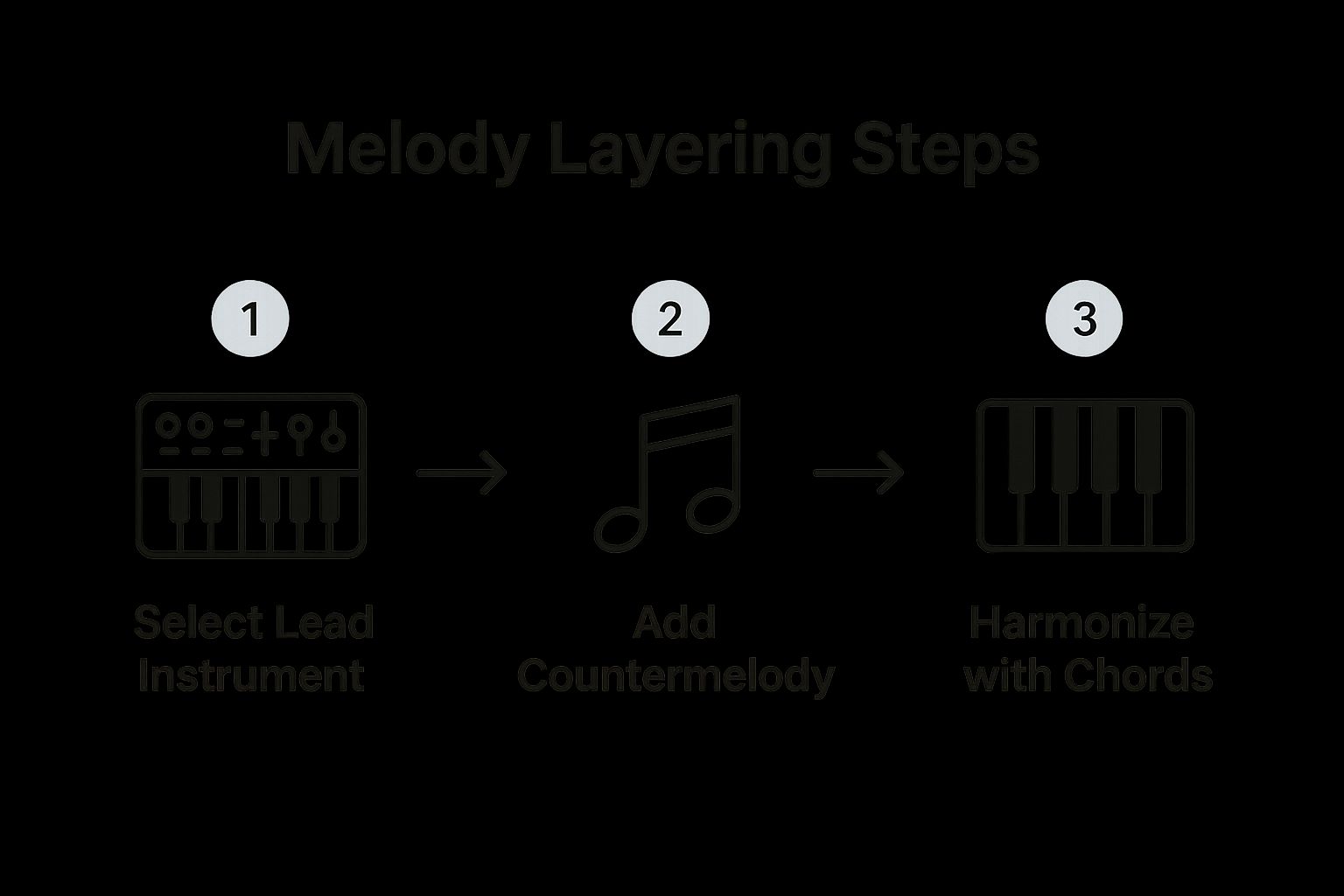
As you can see, starting with one lead instrument and then adding supporting counter-melodies and chords is a fast way to build a rich, full-sounding harmonic bed for your beat.
Arranging Your Beat for Impact
A dope beat is more than just a great 8-bar loop playing over and over. It needs to take the listener on a journey. To keep people hooked, you have to arrange your instrumental parts into a real song structure. This means constantly adding and taking away different elements to build tension and release. That's what makes a track feel alive.
For example, maybe the intro starts with just the main melody. Then you bring in the hi-hats for a few bars, and then BAM—the kick and snare drop in to kick off the verse.
A huge mistake I see new producers make is having every instrument play through the entire track. Honestly, the most powerful moments are often about what you take away, not what you add. Use silence and space to give your big moments more impact.
A well-arranged beat tells a story. Here's a common song structure you can use as a blueprint to map out the different sections of your beat.
A Simple Beat Arrangement Structure
Section | Typical Length (Bars) | Purpose in the Song |
|---|---|---|
Intro | 4-8 | Sets the mood and introduces key melodic elements. |
Verse | 16 | The main "storytelling" part; usually less intense. |
Chorus | 8 | The most energetic and memorable part of the track. |
Verse | 16 | Another verse, maybe with slight variations. |
Chorus | 8 | The big hook comes back. |
Bridge | 8 | A change of pace; introduces a new feel or melody. |
Chorus | 8-16 | The final, often extended, chorus to drive it home. |
Outro | 4-8 | Fades out, often removing elements one by one. |
Of course, this is just a starting point. Feel free to play with the lengths and order to create something that feels unique to your track.
If you ever hit a wall trying to come up with melodic ideas, Lyric Studio can be an amazing creative partner. Its AI can give you context-aware suggestions that help you lock in a theme or mood to build your music around.
Imagine getting a powerful idea for a chorus first, then creating a piano part that perfectly captures that emotion. It completely flips the usual process on its head, letting the lyrical story lead your instrumental choices. The result is a beat that feels connected and intentional from the very start.
To see how this can transform your workflow, Download Lyric Studio free on iOS and try building a beat around a core idea today. In-app purchases may apply.
Using AI for Instant Beat Inspiration

We’ve all been there. You sit down, ready to cook up a new beat, but nothing comes. The DAW is open, your samples are loaded, but the inspiration just isn't hitting. It’s one of the most frustrating parts of being a producer, whether you're just starting or have years of experience.
This is where AI can be a real game-changer. Think of it not as a replacement for your skills, but as a creative assistant that’s always on call. It’s perfect for breaking through those moments when you’re just staring at a blank screen, unsure where to begin. It can give you that initial spark—a theme, a mood, a direction—to get the ball rolling.
Kickstart Your Process with Lyrical Themes
Honestly, one of the best ways to make a beat that truly stands out is to build it around a story or a specific lyrical idea. This is where Lyric Studio comes in clutch. Its “Magic Draft” feature can instantly generate a first verse-and-chorus structure in seconds.
Now, you're not just making a generic beat. You’ve got a theme, an emotion, and even a natural rhythm to play off of. This "reverse-engineering" approach—letting the lyrics guide the instrumental—is powerful. It gives your track a unique identity right from the start, making the beat feel like a core part of the story, not just a loop in the background.
This way of working is catching on fast as the tech gets better. The global market for music production software is predicted to jump by USD 432.8 million between 2025 and 2029, a trend pushed by more artists making music right from their computers. It’s clear that flexible tools that fit modern workflows are in high demand.
Turn Ideas into Actionable Beats
Once Lyric Studio gives you a lyrical theme, the whole beat-making process gets a lot clearer. Did the AI generate an aggressive, high-energy chorus? You can immediately start thinking about hard-hitting snares and fast-paced hi-hats to match that vibe. Did you get an introspective, moody verse? Maybe a sparse piano melody is the perfect fit.
The app's AI is smart enough to generate suggestions that align with different genres and moods. This lets you:
Set the Vibe: Quickly get ideas that work for hip-hop, pop, R&B, or whatever you're producing with genre & mood customization.
Refine Your Words: Use the integrated rhyme and thesaurus tools to find the perfect word, which can unexpectedly inspire a new rhythmic pattern.
Build Momentum: Skip the "blank canvas" paralysis and jump straight into the fun part: actually making music.
By starting with a strong lyrical idea, you’re not just learning how to create beats; you’re learning how to craft songs. The music and lyrics grow together, creating a more cohesive and emotionally resonant track.
This method pretty much guarantees you’ll never run out of ideas. The AI becomes your personal wellspring of inspiration, always ready with a fresh concept when you need it. If you're curious about other ways AI can boost your workflow, you might want to check out these 12 AI Tools For Content Creation. We also have a more in-depth guide on how AI can help songwriters right here on our blog.
Refining and Polishing Your Beat
Getting a solid loop down is a fantastic start, but the real magic happens in the final polish. This is what takes a beat from sounding like a good idea to feeling like a professional-grade track. It’s all about adding clarity and punch, making sure every instrument has its own space to shine. A few simple mixing techniques can transform your loop into something truly special.
The first thing I always do is get my levels right. This is just a fancy way of saying I adjust the volume of each track so nothing is overpowering or getting lost in the mix. A good practice is to build your mix from the ground up. I usually start with the drums and bass, getting them to lock in perfectly before I even think about bringing in the synths or samples.
Giving Every Sound Its Own Space
Once the volumes feel balanced, it's time to create some width. That’s where panning comes into play. Panning simply means placing sounds in the stereo field—either to the left, right, or somewhere in between. You don't want everything fighting for attention right down the middle.
Kick and Bass: I almost always keep these dead center. They’re the foundation, the anchor of the track. You want them to feel solid and powerful.
Snares and Claps: These can also sit near the center, but sometimes I’ll use a stereo widener or pan them just slightly off-center to give them a bigger presence.
Hi-Hats and Percussion: This is where you can really start creating space. Try panning your hi-hats a little to one side and a shaker or other percussion to the other. It immediately makes the beat feel wider.
Melodies and Chords: Spreading your melodic elements across the stereo field is key to achieving a huge, immersive sound.
This level of detail is what makes a track stand out. In a global music market that recently hit $29.6 billion, artists have more tools than ever to create, which means competition is fierce. A clean, professional mix is no longer a luxury—it’s a necessity.
Using EQ for Clarity
Equalization, or EQ, is probably your most powerful tool for cleaning up a muddy mix. An EQ lets you boost or cut specific frequencies for any sound. The goal isn't to make each instrument sound amazing in solo, but to make them all fit together perfectly.
Think of it like putting a puzzle together. If your synth pad and guitar are clashing in the low-mids, you can use an EQ to gently scoop some of those frequencies out of the guitar part, making a nice little pocket for the synth to sit in.
A great mix isn't about making every single instrument sound perfect on its own. It's about making all the instruments sound perfect together. Think of it as teamwork.
A polished beat creates the perfect canvas for vocals, and that’s where the whole picture comes together. Once your instrumental is mixed and ready, you can jump into Lyric Studio and use its AI suggestions to craft verses and hooks that match the vibe you've built. The process feels seamless when your beat is already primed to support a strong vocal performance.
For a full rundown on the gear you'll need to record those vocals, take a look at our guide on building a home recording studio setup.
Ready to hear how your lyrics sound over a polished beat? Download Lyric Studio free on iOS and bring your track to life. In-app purchases may apply.
Frequently Asked Questions
Got questions? You're not alone. Here are some of the most common things aspiring beat makers ask, with some straight-up advice to get you moving.
What Is the Easiest Software to Start Making Beats With?
For anyone just dipping their toes in, you can't go wrong with free and simple tools. Something like GarageBand is a perfect, no-cost way to get a feel for how music software works. It’s all about learning the ropes without the pressure of a big investment.
But if you want to think like a songwriter from the jump, an app like Lyric Studio offers a totally different angle. Its AI tools, like “Magic Draft,” don't just spit out random beats; they help you brainstorm lyrical and rhythmic ideas together.
This means you’re not just making another loop. You’re building a real song with a clear direction from the very first idea, which is a massive shortcut to understanding song structure.
Do I Need Music Theory to Create Good Beats?
Let's be clear: absolutely not. You don't need a degree in music theory to make incredible beats. Think about it—so many legendary producers got their start just by messing around, trusting their ears, and figuring out what sounded right.
Sure, learning some basic scales and chords can be helpful down the line, but it should never be a roadblock that stops you from starting.
This is another spot where a creative assistant like Lyric Studio can fill in the blanks for you. Its AI-driven, context-aware lyric suggestions adapt to your chosen theme and genre. It's a creative assistant that lets you learn the rules by playing, not by studying.
Your ear is your most important tool. If it sounds good to you, you're on the right track. Music theory can explain why it sounds good, but you don't need the explanation to feel the vibe.
How Do I Make My Beats Sound Unique?
Your unique sound won't come from a fancy plugin or a specific preset. It comes from you—your taste, your choices, your vibe.
Start by digging for interesting sounds that aren't the default kicks and snares everyone else is using. Try stacking different drum samples on top of each other to create a new texture. Program a rhythm that feels a little off-kilter. That’s where you find your signature bounce.
Honestly, the best way to make something truly original is to build the beat around a story or a lyrical idea. When you use a tool like Lyric Studio to lock in a theme first, every choice you make—from the drums to the bassline to the melody—can serve that specific emotion. Your beat instantly has a personality.
Once you’ve got a beat you’re proud of, getting it in front of people is the next step. It's worth looking into strategies for making videos featuring your beats go viral to make sure your hard work gets heard.
Ready to turn those ideas into actual songs? Lyric Studio gives you the tools to find your spark, write lyrics, and build tracks that feel like you.
Download Lyric Studio free on iOS. In-app purchases may apply.

SCAN TO GET