Back to articles
How to Make Beats for Raps That Sound Pro
Crafting a killer rap beat all comes down to three things: your Digital Audio Workstation (DAW) to bring it all together, the tempo (BPM) that sets the vibe, and the drum kit that gives it a pulse. Nail these, and you've got the foundation for a professional-sounding track, whether you're making a slow, thoughtful banger or a high-energy club anthem.
Setting Up Your Beat Making Environment
Before you even think about laying down a single note, you need to get your creative space right. A solid setup is your launchpad. Think of it as a workshop—the better your tools are organized, the smoother your workflow will be. You want to clear away any technical roadblocks so your ideas can just flow.
It all starts with your central hub: the Digital Audio Workstation, or DAW. This is the software where you’ll arrange your drums, write melodies, and mix everything into a finished track. There are some fantastic free options out there that are perfect for getting your feet wet, plus the industry-standard programs you see the top producers using.
For a full breakdown of all the gear you might need, check out our guide on building a home recording studio setup.
Choosing Your Core Tools
To help you get started, here’s a quick look at the essentials.
Choosing Your Beat Making Essentials
This table provides a quick overview of the key components you need to start making rap beats, helping you make informed decisions.
Component | What to Look For | Popular Choices |
|---|---|---|
DAW | Ease of use for beginners, built-in sounds, and scalability for future growth. | FL Studio, Ableton Live, Logic Pro X (Mac only), BandLab (Free) |
Tempo (BPM) | Consider the desired mood. Slow (70-90 BPM) for thoughtful tracks, fast (100-140 BPM) for energy. | Start with a classic hip-hop tempo around 90 BPM. |
Drum Kit | High-quality samples: a punchy kick, a snappy snare, and crisp hi-hats. | Splice, Cymatics, r-loops, producer-specific kits. |
Getting these three elements right from the start saves a ton of headaches later on.
Once you’ve got your DAW fired up, the first real decision is the tempo, measured in Beats Per Minute (BPM). This one number pretty much defines the entire energy of your track. A slower tempo, somewhere around 80 BPM, gives you that laid-back, reflective mood. Kick it up to 110 BPM or higher, and you’re in high-energy territory.
The most crucial decision you'll make at the start isn't the melody or the bassline—it's the tempo. The BPM dictates the rapper's flow, the emotional punch of the track, and that core groove that gets heads nodding.
Building Your Sound Library
Next up, you need sounds. Your sound library is your sonic paint palette. A versatile drum kit is the best place to start. Look for one with a deep kick, a sharp snare, and some clean hi-hats—those three sounds are the backbone of almost every rap beat ever made.
From there, you'll start layering in melodies and basslines. This is where a creative assistant like Lyric Studio comes in. Its genre and mood customization features are great for finding sounds that match the specific vibe you're going for, whether it's classic hip-hop, R&B, or pop.
And if you ever get stuck staring at a blank project, the “Magic Draft” feature can instantly generate a first verse and chorus to get your songwriting process rolling. It's an amazing way to break through writer's block.
Ready to build your foundation? Download Lyric Studio free on iOS to start making beats with an AI-powered assistant. Please note that in-app purchases may apply.
Building a Powerful Drum Foundation
Let's get one thing straight: the drums are the heart of your track. They're the groove, the energy, the entire rhythmic spine a rapper will use to build their flow. Before you even touch a synth or a sample, you need a drum pattern that makes heads nod without even thinking about it.
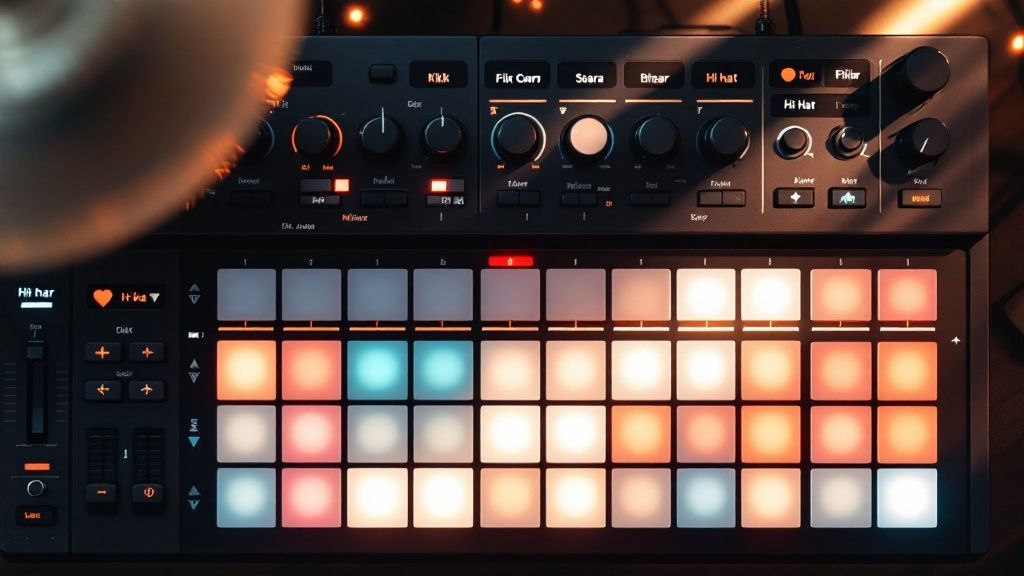
It all starts with two key players: the kick and the snare. Together, they create that core "boom-bap" or "boom-clap" that anchors the whole beat. Think of them as the foundation of a house. Everything else gets built right on top.
Anchoring Your Beat with Kicks and Snares
The classic placement for a rap beat is dead simple but incredibly effective. You’ll almost always hear the kick drum hitting on the first and third beats of a measure, with the snare cracking on the second and fourth. This creates that irresistible back-and-forth rhythm that is the DNA of hip-hop.
In your DAW, just pull up the piano roll or your step sequencer. Grab your kick sample and drop a note on the 1 and the 3. Next, find your snare and place it on the 2 and the 4. Loop that four-beat pattern and listen. You'll immediately feel that fundamental groove taking shape.
The relationship between the kick and snare is everything. It's the rhythmic conversation that defines the genre. Get this part right, and the rest of the beat practically builds itself.
Don't feel locked into that formula, though. Try adding extra kicks right before the snare hits—like on the "and" of the second beat. These little syncopated hits can completely change the bounce of your track and give it a more complex, modern feel.
Adding Rhythmic Detail with Hi-Hats
Once your kick and snare are locked in, it's time to bring in the hi-hats. These are what give the beat its speed and energy, filling the gaps between the main drum hits. The most common pattern you'll hear in rap, especially in modern tracks, is a straight line of 8th notes. That just means placing a hi-hat on every single beat and every "and" in between.
For that faster, trap-influenced sound, you can double up and program your hi-hats with 16th notes. This creates a really tight, shimmering texture that drives the whole track forward.
Now, here’s where you can get really creative and add your own flavor:
Hi-Hat Rolls: This is that signature stutter or roll effect you hear everywhere. Throw in quick bursts of 32nd or even 64th notes to build excitement, usually at the end of a two or four-bar phrase.
Varying Velocity: A huge mistake is having every hi-hat hit at the exact same volume. It sounds robotic. Nudge the velocity (volume) down on the off-beat hats to give your pattern a more human, natural swing.
Open Hats: Drop an open hi-hat on an off-beat to add a splash of emphasis. It's a great way to create a bit of tension and release in your pattern.
If you ever hit a creative wall trying to nail that perfect rhythm, a creative assistant can be a lifesaver. Lyric Studio has integrated rhyme and thesaurus tools that can get you thinking about rhythmic phrasing from a rapper's perspective, which often sparks fresh ideas for your drum patterns. The app is designed to help you push past those exact kinds of creative blocks.
Ready to start building your own drum patterns? Download Lyric Studio free on iOS to get the creative support you need. Just a heads-up, while the download is free, the app may offer in-app purchases.
Bringing Your Beat to Life with Melody and Bass
Alright, you've got your drums locked in and grooving. That's the skeleton. Now it's time to give your beat a soul. This is where melodies and basslines come in—they're what inject the emotion, the mood, and the unique character that make an artist stop and say, "I need to rap on this."
This is the part of the process where you get to define the feel of the track. Are you going for something dark and introspective? Or is this an upbeat, confident banger? The sounds you pick and the notes you play are going to tell that story.
Finding the Right Vibe with Melodic Layers
First things first: you need a sound. In your DAW, this is often called a "patch." It could be anything—a dreamy synth pad, a haunting piano, a sharp pluck, or a gritty lead synth. Don't rush this. Seriously, just scrolling through presets can be a huge source of inspiration. You might find a sound that completely changes the direction of the beat.
Once you land on a sound you love, think about the notes. You don't need a degree in music theory, I promise. A classic trick that works for countless rap hits is to build your melody using a minor scale. It just naturally gives you that serious, atmospheric, or emotional vibe that defines so much of modern hip-hop.
Drums are the foundation, for sure, but the melody and harmony are what really set the scene. If you're curious to learn a bit more about how notes and chords create emotion, our guide on chord progressions for beginners is a great place to start.
Anchoring Your Beat with a Heavy 808
Now for the low end. The bassline gives your track its weight and power, and in today's rap scene, the 808 is king. An 808 isn't just a kick drum; it's a deep, sustained bass tone that can carry its own simple melody. The trick is making it work with your kick, not against it.
Here are a few tips for getting 808s to hit just right:
Follow the Kick Pattern: A solid starting point is to have the 808 hit on some (not all!) of the same beats as your kick. This creates a really satisfying, unified punch in the low end that just feels powerful.
Simple is Better: You don't need a wild, complicated bassline. Often, just having the 808 play the root note of your chords is all you need to make the track feel full and grounded.
Play with Glides and Slides: Most 808 samples and synths have a "glide" or "portamento" function. Use it. Sliding smoothly between notes gives your bassline that modern, fluid character you hear everywhere.
The real magic happens in the conversation between your melody and your 808. A simple, melancholic piano melody can sound absolutely massive when it's sitting on top of a deep, rumbling 808 that fills out the track.
If you're hitting a wall and just can't find that perfect melodic hook, sometimes a little outside inspiration is all it takes. Lyric Studio provides AI-driven, context-aware lyric suggestions that can adapt to the vibe you're building. Seeing a potential lyric or theme can spark the exact melodic phrase or bass note you were missing.
Arranging Your Beat into a Full Song
You’ve got a killer 8-bar loop. It's knocking, it's got a vibe—but it's not a full song. Not yet. The real magic happens in the arrangement. This is where you transform that repetitive loop into a dynamic journey that a rapper can ride, keeping the listener locked in from the first beat to the last. This is the moment you graduate from a beat maker to a producer.
Most rap songs follow a familiar blueprint. It’s not complicated, but understanding the building blocks is your first step to making your instrumentals feel complete and professional.
This breakdown shows the most common structure you'll find in a rap beat.
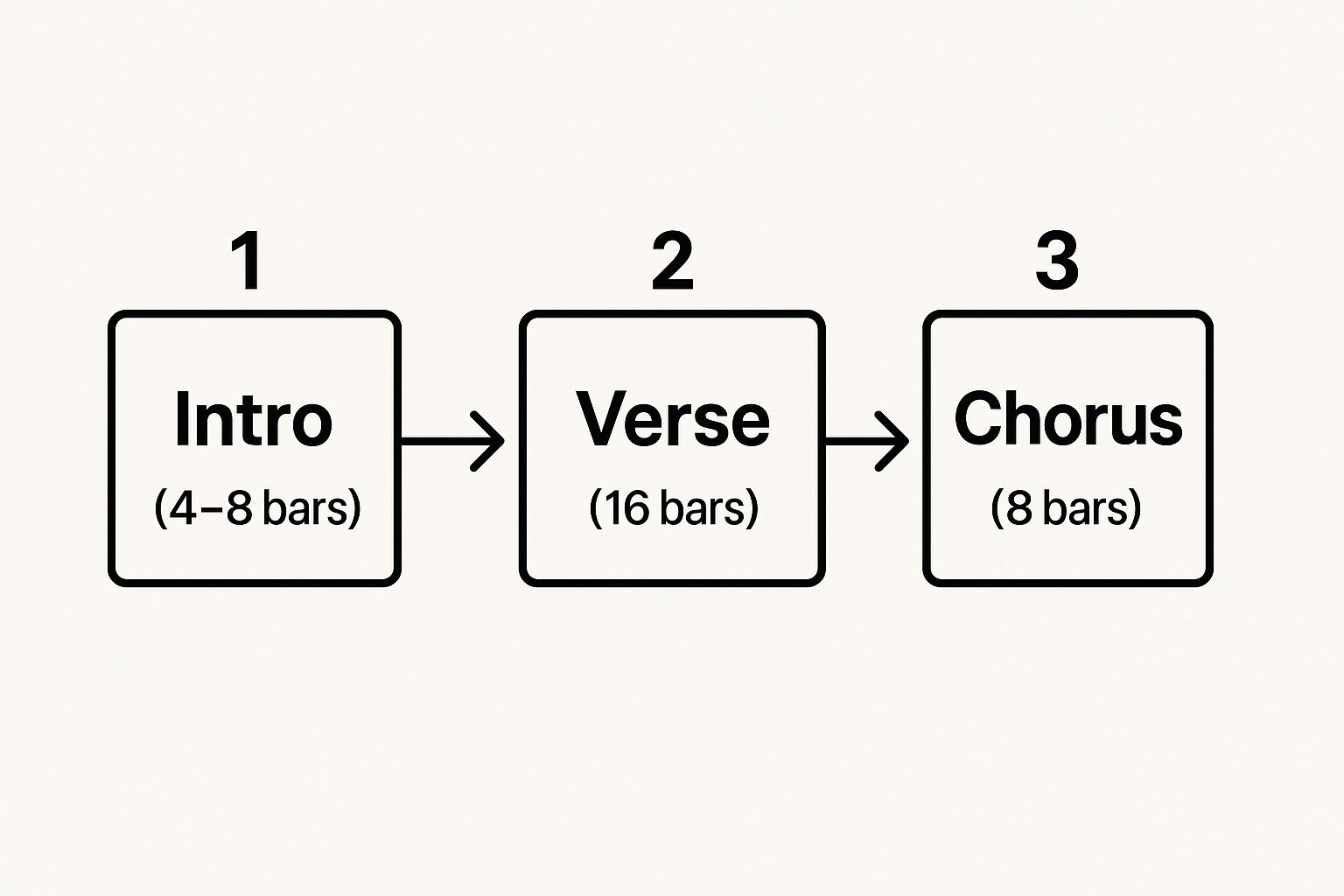
As you can see, the shorter intro and chorus sections act like bookends for the longer verse, giving the song a natural ebb and flow. Let’s get into how you actually build these parts.
Building Your Song Sections
The simplest way to start is to just copy and paste your main loop across the timeline in your DAW. Think of this as a big block of clay you're about to sculpt. From here, you’ll create different sections by taking things away or adding them in.
Intro (4-8 bars): Don't give everything away at once. Ease the listener in. Maybe you start with just the main melody with a filter on it, or you could introduce the drums one by one—kick, then snare, then hats. The goal is to set the mood.
Verse (16 bars): This is the rapper's territory for storytelling, so the beat needs to hold down the foundation without getting in the way. Keep your core drum pattern and bassline solid, but try pulling back a couple of melodic layers to make room for the vocals.
Chorus (8 bars): This needs to be the biggest, most energetic part of the track. Bring all your sounds back in with full force. You could even add a new counter-melody or switch up a snare sound to give it that extra punch. For a deeper dive, check out our article on what makes a good hook.
A great arrangement is all about tension and release. Try dropping the drums out for the last beat right before the chorus hits. When they slam back in, the impact feels ten times bigger.
Creating Smooth Transitions
Transitions are the glue holding your song together. A sudden, jarring switch between sections can completely kill the vibe. You need to use subtle audio cues to signal to the listener that a change is coming.
A quick drum fill, a reverse cymbal swell, or a fast filter sweep are all classic producer tricks for moving between a verse and a chorus. These small details are what make a beat sound polished instead of amateur.
If you're ever stuck wondering how a rapper might lay out their bars over your beat, Lyric Studio can be a huge help. Its "Magic Draft" feature can generate a verse-and-chorus lyrical structure on the spot, giving you a clear roadmap for how your arrangement could work with an actual song.
Ready to turn your loops into finished tracks? Download Lyric Studio free on iOS and get the tools to structure your next banger. Keep in mind the app is free to download, but in-app purchases may apply.
Mixing Your Beat for Clarity and Impact
This is where the magic really happens. The final mix is what separates an amateur beat from a professional track. It's the moment you take all your hard work—the kick, snare, melody, and 808—and make them sit together perfectly. Mixing isn't about throwing a bunch of fancy plugins on everything; it's about making deliberate choices to give each sound its own space to breathe.
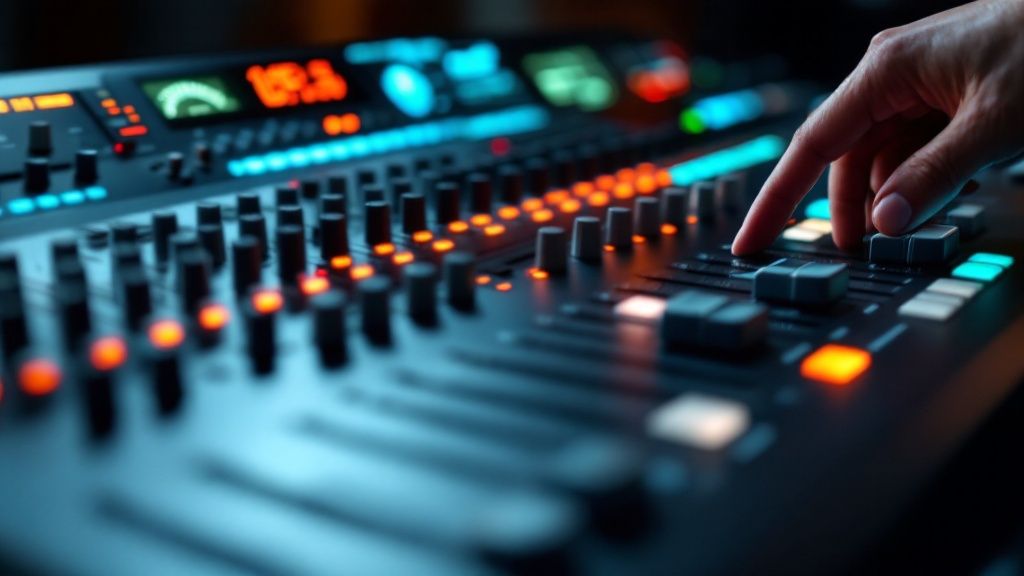
A clean, powerful mix gives a rapper the perfect canvas to work on. It lets their vocals cut through clearly while your instrumental keeps all its energy and punch.
Balancing Levels and Creating Space
Before you touch anything else, you have to get your levels right. This is all about adjusting the volume fader for each track, and it’s the foundation of a good mix. A classic producer trick is to pull all your faders down to zero. Seriously, start from silence.
Then, slowly bring up the most critical parts of your beat. I always start with the kick and the snare. Get those hitting just right, and then start building the rest of the mix around that core rhythm.
The goal is a natural balance where no single element is screaming for attention or getting lost in the noise. Once the volumes feel good, it's time to use panning to give your beat some width and dimension.
Hold Down the Center: Your kick, 808, and main snare should almost always be dead center. This is your anchor; it keeps the beat grounded and powerful.
Create Some Width: Try panning your hi-hats just a little to one side and maybe some other percussion to the other. This small move instantly makes the track feel wider and less crowded.
Find a Pocket for Melodies: Your synths, pianos, or samples can be panned slightly off-center. This carves out a unique spot for them in the mix, so they aren't fighting with the vocals or the main drum groove.
Using EQ to Carve Out Clarity
If your beat sounds muddy or messy, equalization (EQ) is your best friend. EQ is what you use to cut or boost specific frequencies in a sound, and it's the key to making sure different instruments don't clash. The most common problem in rap beats? The kick and the 808 fighting for the same low-end frequencies.
Mixing isn’t about making everything loud; it's about making everything clear. A well-placed EQ cut is often more powerful than a volume boost.
You can fix that classic low-end battle with one simple EQ move. Find the frequency where your kick has the most "thump," then use an EQ on your 808 to make a small cut in that exact same spot. This creates a perfect little pocket for the kick to punch through, giving you a clean, hard-hitting bass without any distortion.
Don't underestimate how much a great mix matters. Data shows that songs with innovative, well-mixed beats can see up to 25% higher add-to-playlist rates on streaming platforms. And considering those platforms made up 84% of total U.S. music revenue in 2023, a polished sound is essential. You can discover more insights on producer impact to see just how big a difference it makes.
Even as you're tweaking the mix, thinking about lyrics can help shape the final sound. The genre and mood customization in Lyric Studio can give you a vibe to aim for, ensuring your mix enhances the track's emotional feel. If you hit a creative wall, you can always download Lyric Studio free on iOS for a spark of inspiration. Please note, in-app purchases may apply.
Got Questions About Making Rap Beats? We've Got Answers
When you're first getting your hands dirty making beats, a few questions pop up over and over again. It’s totally normal. Getting some straight answers can clear the fog and keep you from getting stuck, so let's jump right into the big ones.
What's the Best Beat Making Software for Beginners?
This is probably the most common question, and the honest answer is: there isn't one. The "best" software is the one that gets out of your way and lets you create.
Lots of producers get their start on something like FL Studio or GarageBand (if you're on a Mac) because they're pretty easy to pick up. The workflow just makes sense right out of the box. Others might gravitate toward Ableton Live because of how it handles looping and live arrangements.
My advice? Grab the free trials for a couple of them and spend a weekend messing around. See which one feels more like an instrument than a spreadsheet. The software is just the paintbrush; your ideas are what really matter.
Do I Really Need to Learn Music Theory?
Nope, you absolutely don't need a degree from Juilliard to cook up a hit rap beat. So many legendary producers just trust their ears and create what feels right.
But, a little bit of knowledge can be a massive shortcut.
If you learn just one thing, make it the minor scale. Seriously. It’s the blueprint for so many of the dark, moody, and emotional vibes you hear in modern hip-hop. You can get the hang of it in an afternoon on YouTube.
If the thought of theory makes your head spin, don't sweat it. Most DAWs have a "scale highlighting" or "scale lock" feature in the piano roll. Just pick a key, and it will only let you play the "right" notes. It’s like having training wheels for melody writing, and there's no shame in that game.
How Do I Make My Beats Sound Unique?
This is the long game. Finding your own sound is a process of trial and error, but it starts with one simple idea: stop using the same sounds as everyone else. Curate your own personal library of drum kits, samples, and presets.
Here are a few things I've learned that can help you stand out:
Layer your drums. Instead of just one snare, try stacking two or three different ones. Maybe a crisp modern snare on top of a dusty, lo-fi one from a vintage kit. You'll create a texture that’s entirely your own.
Get weird with effects. Don't just slap a basic reverb on everything. Play with distortion, flangers, or bit-crushers. A simple synth lead can become something totally alien and cool with the right effects chain.
Dig for samples everywhere. Don't just look in the obvious places. Obscure vinyl records, old movie scores, or even a voice memo you recorded on your phone can become the secret sauce in your beat.
Ultimately, your sound is a blend of all your influences, filtered through your personal taste. It's about the choices you make. Creative assistants can help you explore those choices faster. For example, the genre & mood customization in Lyric Studio can give you a sonic starting point, nudging you toward a specific vibe. And its integrated rhyme and thesaurus tools can actually help you think more rhythmically, which often leads to more interesting drum patterns.
Ready to find your unique sound and overcome creative blocks? Lyric Studio is designed to be your creative partner every step of the way.
Download Lyric Studio free on iOS. https://apps.apple.com/us/app/lyric-studio-rap-rhyme-maker/id1600316328

SCAN TO GET