Back to articles
How to Make Beats for Rap: A Guide for Beginners
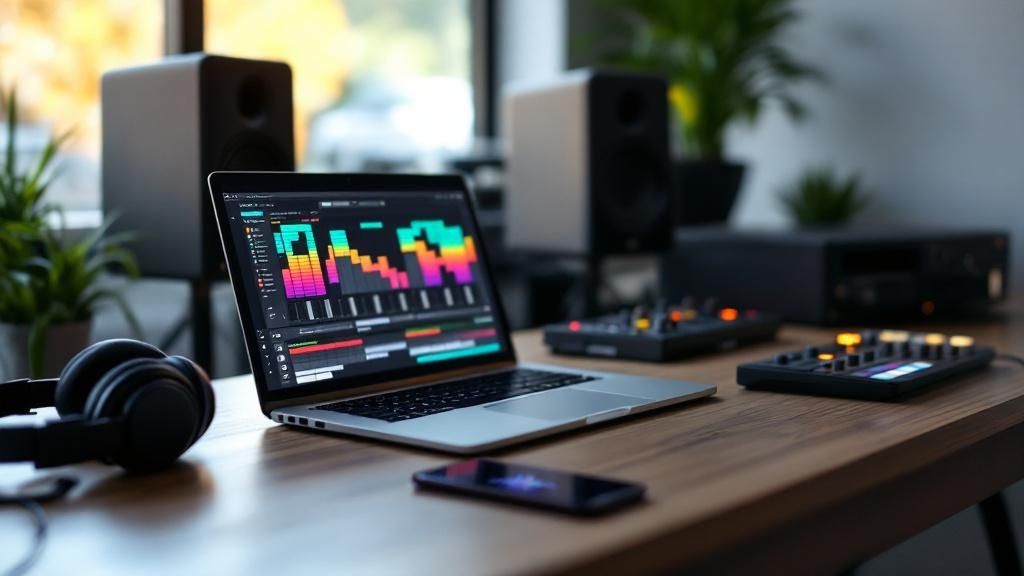
So, you want to make rap beats. Where do you even begin?
At its core, making a beat really just comes down to a few key ingredients: picking your tools, laying down a drum groove, and adding some kind of melody or sample on top. It sounds simple, and honestly, it can be. You can get a solid loop going in less than an hour with just a computer.
Let's break down what you actually need to get started.
Your Beat-Making Toolkit
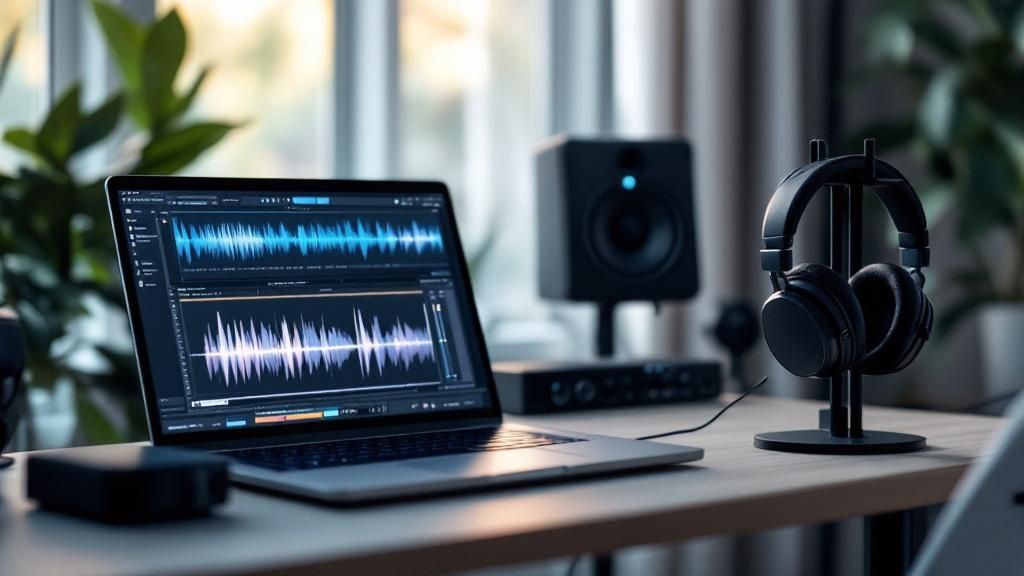
Before you can cook up a hit, you need the right gear. The great news? You don't have to break the bank or fill a room with flashy equipment. These days, a powerful studio can live right on your laptop.
The single most important piece of the puzzle is your Digital Audio Workstation (DAW). This is the software that acts as your command center—it's where you'll chop up sounds, program your drums, record melodies, and mix it all together. Think of it as your virtual studio. In the hip-hop world, programs like FL Studio and Ableton Live are legendary for a reason; their workflows are fast and intuitive, making it easy to get ideas out of your head and into the speakers.
Essential Gear for Your First Rap Beat
While a computer and a DAW are the only true must-haves, a couple of other items can make a huge difference in your workflow and the quality of your beats. They help you actually hear what you're doing and make the process feel much more hands-on.
Here’s a quick look at the essential gear that will give you a solid foundation for making your first rap beat.
Component | What It Does | Beginner Recommendation |
|---|---|---|
DAW Software | The main program for recording, arranging, and mixing your beat. | FL Studio, Ableton Live, or even GarageBand (free on Apple devices). |
Headphones/Monitors | Allows you to hear the details in your music accurately. | Closed-back headphones (like the Audio-Technica ATH-M20x) or entry-level studio monitors. |
MIDI Keyboard | A piano-style keyboard for playing melodies and chords directly into your DAW. | A small 25-key controller (like an Akai MPK Mini) is perfect for starting out. |
Sound Library | A collection of drum sounds, samples, and virtual instruments. | Start with the high-quality stock sounds included with your DAW. |
This simple setup is more than enough to create professional-sounding tracks right from your desk.
Finding Your Sounds and Getting Inspired
A beat is only as strong as the sounds it’s built from. Your DAW will come loaded with a surprisingly good library of drum kits, synths, and effects. My advice? Learn those inside and out before you spend a dime. Once you've got a handle on them, you can start exploring sound packs or subscription services for fresh, royalty-free samples.
But what if you're more of a lyricist than a producer? Or what if you're just staring at a blank screen with a bad case of beat block? This is where a creative assistant like Lyric Studio can give you a serious creative jumpstart.
Key Takeaway: You don't have to be a production wizard from day one. New tools can help bridge the gap between your lyrics and a fire beat, giving you a solid starting point to build on.
For example, Lyric Studio lets you choose a genre and mood for AI-driven, context-aware lyric suggestions that adapt to your theme. If you're feeling stuck, its "Magic Draft" feature can instantly generate a first verse-and-chorus to give you a complete musical idea to run with.
This approach lets you focus on your rhymes while still having a quality, custom-fit beat to work with. It's a fantastic way to learn how to make beats for rap without getting lost in the technical weeds. If you're just getting into production, our complete guide to beat making for beginners is a great resource to dig deeper into the fundamentals.
You have the blueprint. Now it's time to stop thinking and start creating. Download Lyric Studio free on iOS.
Programming Drums That Actually Slap
Let's be real: the drums are the heart and soul of any rap track. They're what gives a beat its energy, its bounce, and the core foundation that gets heads nodding. Nailing the drums isn't about getting bogged down in music theory; it's all about feel. It’s about taking a simple loop and breathing life into it, turning a static pattern into a living, breathing groove.
We'll kick things off with the holy trinity of any rap beat: the kick, the snare, and the hi-hats. These three elements are the building blocks of your rhythmic pocket. Just think of the kick and snare as the main pulse of the track, while the hi-hats dictate the speed and fill in the gaps.
Building Your Foundational Groove
First thing's first, you need to lay down a basic pattern in your DAW's piano roll or step sequencer. A classic hip-hop pattern that almost never fails is putting the kick on beats 1 and 3 and the snare on beats 2 and 4. This simple setup is the source of that iconic "boom-bap" rhythm that has been the backbone of rap music for decades.
Once you have that solid base, you can start to get creative.
Beef up the kick: Try dropping in a second kick drum just before beat 3. It adds a little extra punch and anticipation.
Add snare texture: While the 2 and 4 snare is your anchor, throwing in a much quieter, off-beat snare hit (often called a "ghost note") can make the whole pattern feel more human.
Keep the hi-hats simple (for now): Start by programming straight eighth notes—that’s two hi-hat hits for every beat. This establishes a steady, driving rhythm.
This foundation is your canvas. It’s simple, it grooves, and it leaves plenty of room for all the other melodic elements you'll add later.
This quick sketch shows how you can take a basic idea from your head (or your MIDI controller) and build it into a complete drum pattern right inside your software.
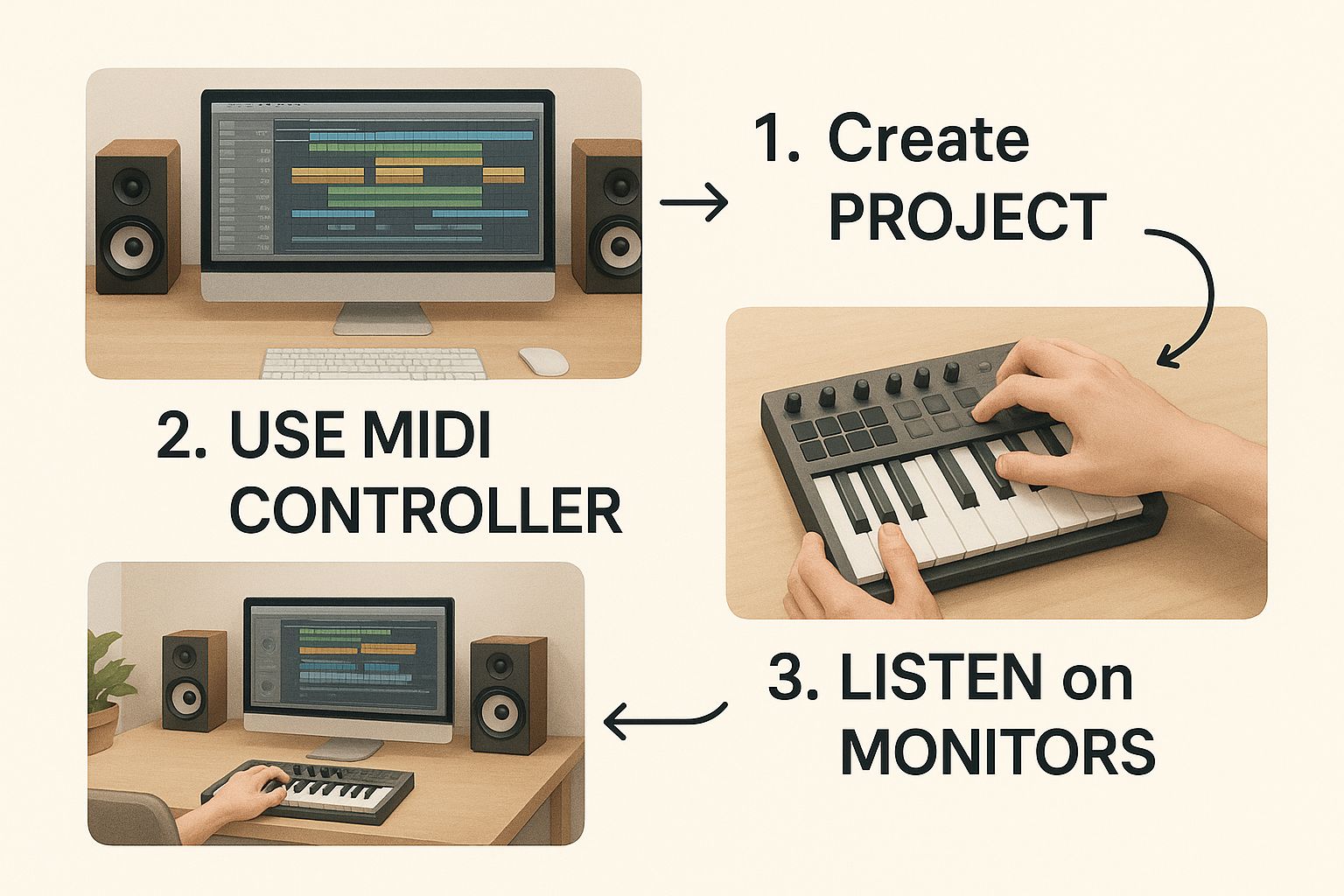
The image perfectly illustrates that journey—from hands-on creation to fine-tuning the details on-screen. It’s a blend of raw creativity and digital polish.
Adding Bounce and Human Feel
There's nothing that kills a vibe faster than a drum pattern that's perfectly on the grid. It sounds robotic and stiff. The real secret to drums that truly "slap" is in the subtle imperfections that make them sound like a real person played them. We often call this adding "swing" or "humanization."
Most DAWs have a built-in swing or shuffle function. Just applying a small amount of swing, maybe around 10-20%, will ever-so-slightly delay every other hi-hat, instantly giving your beat a looser, groovier feel. Another trick I use all the time is to manually nudge my drum hits. Try dragging a snare a fraction of a second late or a kick a tiny bit early. These tiny shifts make a massive difference.
Pro Tip: Velocity is your absolute best friend for creating dynamic drums. Instead of every single hi-hat hitting at the exact same volume, play with their velocities. Try making the hats that land on the main beats (1, 2, 3, 4) a little louder, and the ones in between a bit softer. This one trick alone will make your drums breathe.
Modern Trap Rolls and 808s
If you're making modern trap or drill, you know it's all about those skittering hi-hat rolls and chest-rattling 808s. To get those intricate patterns, you'll want to change the grid in your piano roll to a finer setting, like 1/32 or 1/64 notes. This lets you draw in those lightning-fast stutters that give trap its signature frantic energy.
When it comes to the 808, your sound selection is crucial. You need a sample that has a clean, powerful low-end but doesn't turn your mix into mud. A good starting point is to have the 808 follow the rhythm of your kick drum, but don't just copy and paste. Let some notes ring out longer or add some slides between notes for that classic melodic bass flavor.
A huge part of learning how to make beats for rap today is knowing where your music fits. The industry's incredible growth, fueled by streaming, has a direct impact on what kind of beats get noticed. In 2023, the US recording industry hit a record-breaking retail value of $17.1 billion, and a whopping 84% of that came from streaming. With rap dominating the streaming charts, it pays to make beats that are punchy and grab the listener from the very first second. You can dig deeper into these industry stats over at Soundcharts.
If programming drums from a blank slate feels a bit daunting, this is exactly where a creative assistant like Lyric Studio can be a massive help. With genre and mood customization for hip-hop, pop, and R&B, you can get a high-quality beat that already has that professional bounce and feel. Use it as an amazing starting point, then jump in and add your own unique touches.
Ready to find your rhythm without getting lost in the weeds? Download Lyric Studio free on iOS and get a professional-sounding drum groove going in seconds.
Crafting Melodies That Hook Your Listeners

A fire drum pattern gets heads nodding, sure. But it’s the melody that gets stuck in their heads for days. This is where you breathe life into your rhythm and turn it into a real musical idea. And you don't need to be a music theory wizard to pull it off. You just need to create a vibe.
It all starts with finding the right sounds. Think of it like casting actors for a movie—each instrument has a part to play. You might want a dark, gritty piano for a storytelling track or a bright, cutting synth lead for an energetic club banger. Don't sleep on the stock instruments in your DAW; they're often more than powerful enough to get something great started.
Building Your Core Melody
The core melody is your beat's musical hook. It needs to be catchy but simple enough to leave room for a rapper to do their thing. The best way to start? Just hum an idea that comes to you, then try to pick it out on your MIDI keyboard or draw the notes directly into your piano roll.
One of the biggest mistakes I see new producers make is creating melodies that are way too busy. Always remember: the rapper needs space to shine.
Keep it simple. A great melody is often just a handful of notes repeated in a memorable pattern.
Set the mood. Minor keys are your go-to for darker, more emotional beats. Major keys bring that upbeat, positive energy.
Think in loops. Most rap beats are built on 4 or 8-bar loops. Your job is to create a short musical phrase that sounds dope on repeat.
Once you’ve got that core idea locked in, you can start building everything else around it, shaping the entire emotional feel of your track.
Layering Sounds for a Full Soundscape
A single melody can sound pretty thin on its own. The real magic happens when you start layering different sounds to create depth and texture. This is what makes a beat feel full and professional. It’s a lot like painting—you’re adding different colors and shades to create a complete picture.
A great technique is to pair your main melody with a counter-melody or some supporting chords. For example, if you have a piano playing a simple progression, try adding a subtle synth pad underneath. It immediately fills out the sonic space and makes the whole thing feel richer and more immersive.
Key Takeaway: Layering isn't about just adding more noise. It's about giving each sound its own space. A low, sustained pad and a high, plucky lead can sit together perfectly because they aren't fighting for the same frequencies.
Another powerful trick is to add subtle atmospheric textures. Sounds like vinyl crackle, soft rain, or other ambient noise can give your beat a unique character and that lofi feel that helps it stand out.
When You’re Stuck for Ideas
Look, every single producer hits a creative wall. Staring at a blank project can be a real vibe killer. Instead of getting frustrated, this is a perfect time to use a modern tool to spark some new ideas.
Lyric Studio, for instance, has AI-driven features designed to get you past that block. Its genre and mood customization can help generate melodic concepts and chord progressions that fit the exact feel you're going for. You can even use its “Magic Draft” feature to instantly create a first verse-and-chorus, giving you a full musical foundation to chop up, rearrange, and make your own. For more on how music and lyrics work together, check out our guide on how to write a rap song.
Ultimately, crafting melodies is all about emotion. Whether you play the notes yourself, chop up a sample, or get a spark from a creative tool, the goal is to create a feeling that supports the rhythm and sets the stage for a vocalist to kill it.
Ready to turn those ideas into full songs? Download Lyric Studio free on iOS and start generating unique melodies for your beats today.
Arranging Your Beat into a Full Song
So you've got a killer 8-bar loop. That’s a fantastic starting point, but it's not a finished track. The real craft begins with arrangement—transforming that loop into a complete song that pulls the listener in. This is where you move beyond just making a beat and start telling a story with your music.
Think of your loop as a single, powerful scene in a movie. Arrangement is how you build the whole film around it. You need an intro, rising action, a climax, and a solid ending. Without that structure, even the hottest loop gets old fast.
The Anatomy of a Rap Song
Most rap hits, from the classics to today's chart-toppers, follow a familiar structure. It’s a blueprint that works, giving both the rapper and the listener a roadmap to follow.
Here’s a breakdown of a typical song structure:
Intro (4-8 bars): Ease the listener in. Maybe you’ll start with just the melody, or a filtered version of your drums to build some tension.
Verse (16 bars): This is the rapper's main stage for storytelling. The beat here is usually steady and supportive.
Chorus (8 bars): The main event. This part needs to be big, catchy, and memorable. Make the beat feel fuller and more energetic to really make it pop.
Verse 2 (16 bars): Time for the second chapter of the story. You can keep the beat similar but throw in a few small changes to keep things fresh.
Chorus (8 bars): Bring back that hook to lock it into the listener's head.
Bridge (8 bars): A change of pace is crucial here. Strip the beat down to just a few core elements or introduce a new sound to create a moment of reflection before the finale.
Chorus (8-16 bars): The final, massive chorus. Repeating it twice for 16 bars can give it maximum impact.
Outro (4-8 bars): Let the song breathe and wind down. Fading out with the melody or a simple drum pattern is a classic move.
This is just a guide, not a set of rules carved in stone. Don’t be afraid to experiment, but starting with this framework is a surefire way to build a track that feels complete. To really nail the most important part of your track, check out our guide on what makes a good hook.
Keeping the Listener Engaged
The secret to a great arrangement is variation. You have to keep things moving by adding and taking away sounds at the right moments. One of the oldest tricks in the book is to drop the drums and bass right before the chorus hits. That split second of silence makes the beat feel absolutely huge when it all comes crashing back in.
Pro Tip: Avoid the rookie mistake of just copying and pasting your 8-bar loop across the entire timeline. Make small, subtle tweaks. In the second verse, maybe add a new percussion sound or switch up the hi-hat pattern. These little details are what separate the amateurs from the pros and make people want to listen again and again.
Transitional effects are your best friend. Use things like risers, sweeps, and crashes to signal that a new section is coming. They act like signposts, guiding the listener smoothly from the verse into the chorus without any awkward jumps.
Modern production has gotten incredibly sophisticated. Today's top studios often analyze data to see what sounds and structures listeners respond to, sometimes even using real-time feedback to fine-tune their work. You can get a better sense of where things are headed by reading up on these future-facing hip-hop trends on beatstorapon.com.
If arranging feels overwhelming, a tool like Lyric Studio can really help connect the dots. Its integrated rhyme and thesaurus tools are built to help you map out your lyrical structure, which in turn gives you ideas for how the music should evolve from section to section. It helps you think like a complete songwriter, not just a beat maker.
Ready to turn your loops into full-fledged anthems? Download Lyric Studio free on iOS. (Note: In-app purchases may apply.)
Mixing and Polishing Your Beat for Release
Alright, you’ve put in the work. You’ve got a solid beat and a full arrangement. Now for the final, crucial step: the mix. This is where you take a good idea and turn it into a professional track that slaps on everything from car speakers to AirPods.
Don't get intimidated. You don't need to become a world-class audio engineer overnight. The goal here is to learn a few core principles that will make your beats sound clean, loud, and impactful. Think of it as the final detail work that makes all the difference.
Finding Balance with Levels and Panning
First things first, let's talk about leveling. This is just a fancy word for adjusting the volume of each track. The biggest mistake new producers make is trying to make everything loud. A great mix is about balance, not just raw volume.
My advice? Pull all your faders down to zero. Seriously. Then, bring up your most important element—usually the kick or snare—and start building the rest of the track around it. This forces you to make conscious decisions about what truly matters in the beat.
Next up is panning. This is your secret weapon for creating width and space. Panning is just placing sounds in the stereo field (left, right, or center).
Keep it Anchored: Your kick, main snare, and bass should almost always be dead center. This is the foundation of your track.
Create Some Width: Try panning your hi-hats just a little to the right and a shaker or percussion loop a little to the left. It instantly makes the beat feel bigger.
Separate Melodies: If you have a piano and a synth lead playing at the same time, pan them slightly apart. This gives each instrument its own lane to shine in, preventing your mix from sounding cluttered.
Carving Out Space with EQ
Now we get to my favorite mixing tool: EQ (Equalization). EQ lets you cut or boost specific frequencies, and it's how you make everything fit together cleanly. In rap, the main battle is usually between your kick and your 808. Both are heavy on the low-end, and if you're not careful, they'll just turn into a muddy mess.
A simple trick is to use an EQ to gently cut some low frequencies out of your melodies and hi-hats. This carves out room for the bass and kick to punch through without competition.
Key Insight: A great mix isn’t about making everything loud. It’s about giving every sound its own space to breathe. When instruments aren't fighting for the same frequencies, the whole track just sounds clearer and hits harder.
Here's a quick checklist to guide you through the basics of a clean, punchy rap mix.
Basic Mixing Checklist for a Punchy Rap Beat
This simple checklist will guide you through the fundamental mixing steps for a clean and powerful-sounding rap beat.
Mixing Step | Objective | Actionable Tip |
|---|---|---|
Leveling | Ensure every instrument has its own space in the volume hierarchy. | Start with your drums and bass, then mix in the melodic elements around them. |
Panning | Create a wide and immersive stereo image. | Pan hi-hats, percussion, and background melodies slightly left or right. |
EQ (Equalization) | Carve out specific frequency ranges for each instrument. | Gently cut low frequencies from melodies to make room for the kick and 808. |
Light Compression | Glue elements together and control dynamic range. | Use a compressor on your drum group to make the drums feel tighter and punchier. |
Following these steps will get you 90% of the way to a polished, hard-hitting beat.
As you wrap up, always remember to check how your mix sounds in different places. What sounds amazing on your studio monitors might fall apart in a car. It's worth understanding the nuances between different home audio setups to get a feel for how most people will hear your music.
The rise of AI in music is also a game-changer. The AI music market is projected to explode from $3.9 billion in 2024 to $38.7 billion by 2033, a testament to how fast these tools are evolving. You can read more about these AI music industry statistics here. Tools are emerging that can suggest mix settings or even generate polished beats from the jump, saving producers countless hours.
This is where a tool like Lyric Studio becomes a powerful creative partner. Instead of getting bogged down in the technical weeds, its AI-driven lyric suggestions and genre and mood customization can help you focus on what you do best: writing dope lyrics.
Ready to spend less time mixing and more time creating? Download Lyric Studio free on iOS. (Note: In-app purchases may apply.)
Got Questions? We've Got Answers
Stepping into the world of beat-making can feel overwhelming. It’s totally normal to have a ton of questions swirling around as you get started. Let's tackle some of the most common ones I hear from new producers to help you get moving and build some confidence.
What’s the Best Software for Making Rap Beats?
Honestly, the best software is the one you actually enjoy using. For anyone just starting, the most important thing is finding a Digital Audio Workstation (DAW) that feels intuitive and doesn't constantly interrupt your creative flow.
You'll hear names like FL Studio and Ableton Live thrown around a lot in hip-hop circles, and for good reason. They are both fantastic for quickly building out ideas with loops and have killer drum programming tools that producers swear by. Many people also get their feet wet with GarageBand since it comes free on Apple devices and is super easy to pick up.
My Advice: Don't get hung up on the brand name. It’s far more important to pick one DAW and really learn it inside and out. Knowing one program well is way more powerful than knowing a little bit about several.
Do I Really Need to Know Music Theory?
Nope. Not at all. While knowing some music theory can definitely help you out down the road, it's not a ticket to entry for making great rap beats. Think about it—so many legendary hip-hop producers created classic tracks with little to no formal training.
Your ears are your best guide. The only question that truly matters is, "Does this sound good?" If the answer is yes, then you're doing it right. Trust your gut and focus on creating a vibe that connects with you.
This is also where a creative assistant can make a huge difference. For instance, Lyric Studio has AI features that can suggest melodic ideas or even help you find the right words to match the mood you're building. It lets you explore musical concepts without getting stuck on the theory, so you can focus on the feeling.
Where Do I Find Good Sounds and Samples?
Think of sounds as your raw ingredients. You can have the best recipe in the world, but if you're using weak, thin-sounding samples, your final beat just won't hit hard enough.
A great place to start is with the stock sounds that come with your DAW. You'd be surprised at how good and versatile they can be. Once you feel like you've pushed those to their limits, it's time to branch out.
Here are a few paths you can take to build your sound library:
Subscription Sites: Services like Splice and Loopcloud are goldmines. For a monthly fee, you get access to massive libraries of royalty-free samples and loops.
Indie Sound Designers: You can find countless creators selling unique drum kits and sample packs online. These are often tailored to specific subgenres, which is perfect when you're going for a certain sound.
Freebie Hunting: Don't sleep on free resources! Websites like Cymatics and even Reddit communities often drop free sample packs for producers.
Beyond the technical stuff, a huge part of being a producer is just putting in the time. Learning how to get into a creative flow and stay there is a skill in itself. If you're looking to make your studio time more effective, checking out some tips on staying focused and productive can be a real game-changer.
Learning how to make beats for rap is a long game, not a quick race. By getting these common questions answered, you're building a solid foundation to grow from.
Ready to finally connect your lyrics to a beat that slaps? With Lyric Studio, you can sharpen your rhymes with the integrated rhyme and thesaurus tools while its AI features help you craft a track that matches your song's energy.
Download Lyric Studio free on iOS. (Note: In-app purchases may apply.)

SCAN TO GET