Back to articles
Good Headphones for Recording Vocals A Practical Guide
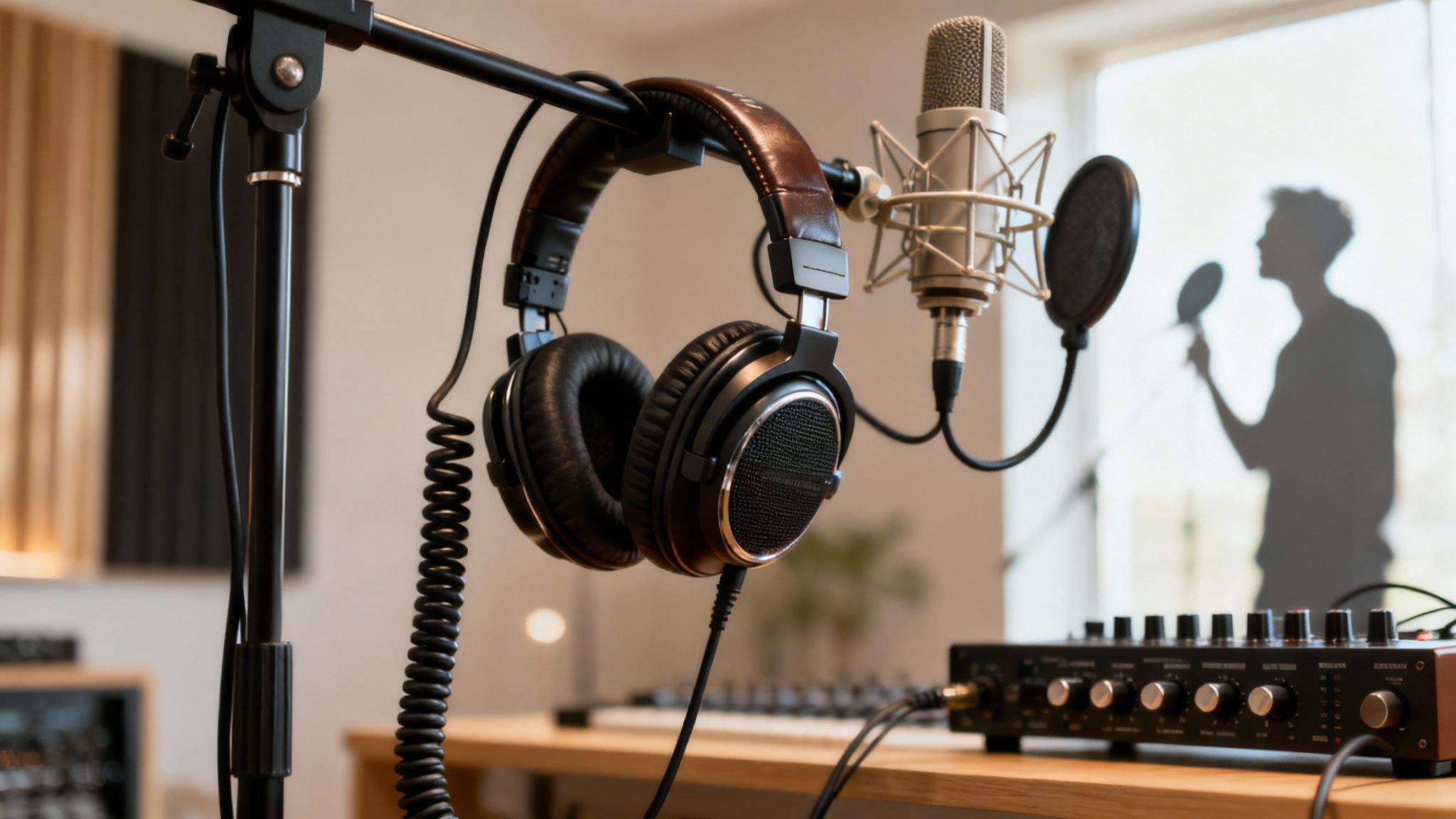
When you're looking for good headphones for recording vocals, the answer is almost always a pair of closed-back studio models. They’re built for one thing: accuracy. Unlike the consumer headphones you might use for listening to music, which often pump up the bass to make things sound more exciting, studio headphones give you an honest, uncolored picture of your voice. This is absolutely critical for nailing your pitch, timing, and getting a clean take.
Why Your Headphones Are a Secret Weapon for Vocals
It helps to stop thinking of your headphones as an accessory and start treating them like a core part of your recording setup—just as important as your microphone. The pair you grab for the gym or your daily commute is designed to make music sound fun and immersive, but that "color" they add is your enemy in the studio. You need accuracy, not flattery.
This is exactly where dedicated studio headphones come in. They are engineered to solve two huge problems that can ruin a vocal track:
Sound Isolation: This is all about preventing "mic bleed." It's that frustrating moment when the backing track playing in your headphones leaks out and gets picked up by your highly sensitive vocal mic. Good isolation ensures your vocal recording is just that—vocals.
Flat Frequency Response: This fancy term just means the headphones don't boost or cut certain frequencies. What you hear is what's really there, giving you a true reference for your performance. You'll hear every nuance, which helps you make tiny, crucial adjustments on the fly.
This simple guide breaks down the two most important features to look for.
As you can see, getting both sound isolation and a flat response right is the key to capturing a vocal that sounds professional right from the start.
The Big Difference: Consumer vs. Studio Cans
It’s easy to think "headphones are headphones," but your everyday pair is fundamentally different from what you need in the studio. Here’s a quick breakdown of why your listening headphones aren't built for the job.
Feature | Consumer Headphones (e.g., Beats, AirPods) | Studio Headphones (for Recording) |
|---|---|---|
Sound Signature | "Colored" or "V-shaped" (boosted bass and treble) | "Flat" or "Neutral" (accurate, uncolored sound) |
Primary Goal | Make music sound exciting and enjoyable | Provide an honest, analytical reference for recording |
Sound Isolation | Varies widely; often prioritizes active noise cancellation | High passive isolation to prevent mic bleed |
Build Quality | Focused on style, portability, and lifestyle features | Built for durability and long-term comfort in a studio |
Ultimately, using the wrong headphones is like trying to paint a detailed picture while wearing sunglasses—you just can't see the true colors.
The Rise of the Home Studio
It's no secret that more and more artists are building out their own recording spaces. The professional headphones market was projected to soar past USD 1.7 billion, which tells you that creators are serious about getting pro-level gear. You can find more insights on the professional headset market in this detailed report. This shift proves just how vital it is to have the right tools for the job.
Honestly, buying a solid pair of studio headphones is one of the best bang-for-your-buck upgrades you can make for your home studio. It immediately leads to cleaner takes, more confident performances, and a final mix that sounds way more polished.
And before you even step up to the mic, make sure your lyrics are just as polished as your gear. Lyric Studio can help you craft verses that are ready for the big time. Use its integrated rhyme and thesaurus tools to refine word choice and get your ideas flowing. Download Lyric Studio free on iOS and get that next hit written. Note: In-app purchases may apply.
Closed-Back vs. Open-Back: Picking the Right Tool for the Job
When you start shopping for good headphones for recording vocals, you'll immediately run into a fundamental choice: closed-back or open-back? This isn't just a minor detail—it's probably the single most important decision you'll make, and it directly affects the quality of your recordings.
Let's cut right to the chase. For tracking vocals, you absolutely need closed-back headphones. No question about it.
Their design is simple but genius for this specific task. The outside of the earcups is solid and sealed, creating a physical barrier. This stops the sound of your backing track or click track from leaking out and bleeding into your highly sensitive vocal microphone. A clean, isolated vocal take is the holy grail in the studio, and closed-back headphones are how you get it.
Why Open-Backs Are a Disaster for Tracking
Now, you've probably heard audiophiles and mixing engineers rave about open-back headphones. And they're right—for listening and mixing, open-backs are fantastic. Their earcups have grilles that let air and sound pass through, creating a super wide, natural, almost speaker-like experience.
But that very strength is their biggest weakness during recording. That sound leakage is a nightmare for vocal tracking. If you wear open-backs while you sing, your microphone will pick up the music you're listening to. The result? A messy recording full of mic bleed that's a headache to clean up in post-production, if you can fix it at all.
Here's the golden rule: Use closed-back headphones for recording to get a clean, isolated vocal. Save your open-back cans for the mixing stage, where their wide, accurate soundstage will help you make better decisions.
This practical approach is why you still see so many cables in professional studios. While wireless tech is convenient, wired headphones are king for recording. They held a 57% market share for a reason: zero latency and unmatched reliability. You can dive deeper into the pro headphones market on maximizemarketresearch.com. There’s no room for audio dropouts or lag when you're trying to nail the perfect take.
Of course, the right gear is only half the battle. Your lyrics need to be just as strong as your sound. Using a creative assistant like Lyric Studio can help you find fresh ideas and perfect your rhymes, ensuring your words are ready for their moment in the spotlight. Download Lyric Studio free on iOS and start crafting studio-ready lyrics. Note: In-app purchases may apply.
What to Look For Beyond the Headphone Type
So, you’ve settled on a closed-back design. Smart move. But now comes the tricky part: digging into the specs to find a pair that will actually help you sing better. It's easy to get lost in a sea of technical jargon, but only a few key details really separate a great pair of recording headphones from an average one.
The absolute most important thing to look for is a flat frequency response. This just means the headphones don't lie to you. They play back the sound exactly as it is, without adding their own color. A lot of headphones you'd buy for just listening to music are designed to make things sound better—usually by cranking up the bass. For recording, that's a disaster. That boosted low end can easily hide pitch issues or muddiness in your voice, which you definitely want to hear and fix.
Key Specifications That Matter
Beyond a flat, honest sound, a few other things make a huge difference in the studio. Comfort, for one, is a big deal. If you're going to be wearing these for hours on end tracking vocals, they can't be a distraction. Look for something lightweight with soft earpads and a headband that doesn't feel like a vise grip after 30 minutes.
Here are a few other specs I always check:
Build Quality: Studio gear gets used, and sometimes abused. You want headphones that feel solid, not flimsy. A replaceable cable is a huge bonus, since that's often the first thing to fail.
Impedance: This is just a measure of electrical resistance. Don't overthink it. For a home studio, anything with low impedance (under 80 ohms) will work perfectly with your audio interface, no extra headphone amp needed.
Wired Connection: I know, wireless is everywhere. But for recording, you absolutely need a wired connection. It eliminates latency, which is that tiny, infuriating delay between when you sing a note and when you hear it in your ears. That delay will completely wreck your timing and performance.
Making an Informed Choice
As more people build out their own home studios, the demand for pro-level gear has exploded. It’s no surprise that for critical work like recording vocals, headphones with a flat frequency response are the go-to for ensuring what you hear is what you get. You can discover more insights about the pro headphone market here.
A great pair of headphones gives you an honest look at your performance. If you can hear a pitchy note or a timing issue clearly, you can fix it. If your headphones are hiding those flaws, they’ll show up in the final mix when it’s much harder to correct.
Picking the right headphones is a foundational step, but it's just one part of the puzzle. To make sure your entire recording chain is solid, take a look at our guide on the best music production software for beginners.
Ultimately, your gear should feel invisible, letting your creativity flow without getting in the way. After you've put in the work crafting powerful lyrics, you need a setup that helps you deliver them with precision and confidence.
Getting Your Headphone Mix Just Right for Recording
So, you've got a great pair of headphones. That's a fantastic first step, but how you set them up is what really makes or breaks your vocal take. The goal isn't just to hear the music; it's to create a personalized monitoring environment that lets you perform with total confidence.
You need to hear yourself clearly without having to compete with the instrumental track. A classic rookie mistake is blasting the backing track so loud that you end up shouting just to hear your own pitch. That’s a fast track to a strained, off-key performance and a sore throat.
A great headphone mix is all about balance. Your vocal should feel like it's sitting right on top of the music—clear enough to catch every nuance, but blended enough that you feel like you're performing with the band, not fighting against it.
Dialing in the Perfect Cue Mix
First things first, get your instrumental track sitting at a comfortable, medium volume. Don't crank it. Now, slowly bring up the volume of your own vocal mic in your headphones.
You're searching for that sweet spot where your voice feels present and clear. You should be able to hear all the subtle details—the breath, the vibrato, the tiny dynamic shifts. That clarity is what gives you the control to deliver a truly emotional performance.
Another huge hurdle to overcome is latency. That’s the annoying delay between the moment you sing a note and the moment you hear it back in your ears. It can throw off your timing and pitch completely.
Here’s how to get everything sounding tight:
Use Direct Monitoring: Look for a "Direct Monitor" button or knob on your audio interface. Pretty much every modern one has it. This sends your live vocal signal straight to your headphones, completely bypassing your computer and killing that distracting delay.
Watch Your Volume: It's tempting to turn things up to get "in the zone," but excessively high volume leads to ear fatigue fast. It can even cause permanent hearing damage during long sessions. Find a level that feels energetic but not painful.
Tame That Cable: Don't let a stray headphone cable ruin a perfect take. A dangling cord can easily bump into your mic stand or body, creating low-end rumbles in your recording. The easy fix is to just run it over your shoulder and down your back.
These simple habits are non-negotiable for getting clean, professional-sounding vocals. If you want to expand your knowledge, take a look at our complete guide to building a home recording studio setup.
Once your headphone mix is dialed in, you can finally forget about the tech and focus on what really matters: the performance. With the right words in front of you, you'll be ready to nail it. Download Lyric Studio free on iOS and start writing lyrics worthy of a perfect take. Note: In-app purchases may apply.
Bringing Your Best Lyrics to the Microphone
A great vocal performance doesn't start when you hit the record button. It starts with the words. Even the most pristine headphones can only capture the emotion you bring to the table, and that emotion is rooted in solid, well-crafted lyrics.
When you feel confident in what you're singing, your delivery will be ten times better. It's as simple as that.
Before you even think about stepping into the vocal booth, it’s worth spending time refining your lyrics. Lyric Studio can be a massive help here, acting as a creative assistant to help you find the perfect words. Its AI-driven, context-aware suggestions adapt to your theme and genre, helping you nail that tricky verse or powerful chorus.
Once your lyrics feel complete, the headphones are just the final piece of the puzzle, letting you hear yourself clearly so you can nail every nuance.
This is where the magic happens—where creative tech and recording technique come together. It’s a smooth path from a rough idea scribbled in a notebook to a polished vocal take that tells a real story.
After you've laid down your vocals, you might find the best speech to text software handy for getting a clean transcript of your performance for final review. And if you're still working on the writing part, our guide on the 5 steps to easily write song lyrics is a great place to start.
Ready to turn your ideas into a finished track? Download Lyric Studio free on iOS and get started on your next song. Just a heads-up, some features may require in-app purchases.
Common Questions About Recording Headphones
Jumping into audio gear can feel like a maze, but don't worry. A few simple answers can cut through a lot of the noise. Let's tackle the questions that pop up most often when artists are on the hunt for good headphones for recording vocals.
Can I Use My Gaming Or Noise-Canceling Headphones?
It's a common thought—why not just use the headphones you already own? While tempting, it's a bad idea for serious recording.
Gaming headsets are built to make games sound exciting, which usually means they crank up the bass and treble. This "colored" sound completely misrepresents how your voice actually sounds. Likewise, Active Noise-Canceling (ANC) headphones use internal electronics that can introduce a slight hiss or subtly change the audio, masking the true quality of your vocal performance.
If you want a clean recording without any stray sounds leaking into your mic, you need to stick with the professional standard: wired, closed-back studio headphones.
How Much Do I Really Need to Spend?
You absolutely do not need to empty your wallet. You can find excellent entry-level studio headphones from trusted brands for under $100, and they'll be a night-and-day difference from your everyday earbuds.
For most home studios, the sweet spot is usually somewhere between $150 and $300. In this range, you hit a fantastic balance of build quality, long-wear comfort, and accurate sound.
Remember, the goal is a neutral sound profile and a closed-back design. Focus on those features more than just the price tag.
What Exactly Is Headphone Bleed?
Headphone bleed is that frustrating thing that happens when your microphone picks up the sound leaking out of your headphones.
This creates a faint, ghostly copy of your backing track underneath your raw vocal recording. It’s a massive headache to fix in the mix later, and sometimes it's impossible to remove completely. Using closed-back headphones designed for sound isolation is your best defense.
After a clean recording session, managing your project files is the next step. Knowing how to compress WAV files for better audio is a great skill for keeping your projects organized and manageable without losing quality.
Once you have the technical side sorted, you can get back to what matters: being creative. With its “Magic Draft” feature and genre customization, Lyric Studio can help you write vocals that are worth capturing perfectly.
Download Lyric Studio free on iOS. Note: In-app purchases may apply.

SCAN TO GET