Back to articles
Generate Song Lyrics with AI Songwriting Tools

We’ve all been there. Staring at a blank page, the silence so loud it feels like the end of a song before it's even begun. The quickest way I've found to generate song lyrics and finally push past that creative wall is to team up with an AI creative partner. It's not about replacing your voice; it's about getting that initial spark to get the words flowing.
Your AI Partner for Songwriting

It’s easy to get bogged down trying to land on the perfect theme, capture just the right emotion, or even just organize your thoughts into a coherent structure. This is a classic songwriting struggle, but it's one where a little tech can make a huge difference. The whole point isn't to have a machine write the song for you. Think of Lyric Studio as a creative assistant—one that helps you brainstorm ideas, tighten up concepts, and lets you focus on what you're actually good at: making music.
From Blank Page To First Draft
I've found that using a tool like Lyric Studio turns that intimidating blank page into a collaborative space. Instead of just throwing ideas at the wall and seeing what sticks, you can give the AI specific instructions to steer its suggestions. Suddenly, starting from scratch doesn't feel so daunting.
Genre & Mood Customization: You can set the creative direction right from the get-go. Need an upbeat pop track? A mellow hip-hop verse? Tell Lyric Studio, and the suggestions will fit the vibe you're going for.
Instant Idea Generation: The “Magic Draft” feature can generate a first verse and chorus almost instantly. It’s never perfect, but it gives you something solid to react to, edit, and build from.
Here’s a quick look at how Lyric Studio can tackle some of the most common headaches in songwriting.
How Lyric Studio Solves Common Songwriting Hurdles
Songwriting Challenge | How Lyric Studio Helps | Core Feature Used |
|---|---|---|
Writer's Block | Generates initial lines and concepts to kickstart the process. | "Magic Draft" |
Finding Rhymes | Provides a list of contextually relevant rhyming words. | Integrated Rhyme Tool |
Sticking to a Theme | AI-driven suggestions adapt to your existing lyrics, keeping the song focused. | Context-Aware AI Suggestions |
Finding the Right Words | Offers synonyms and alternative phrasing to perfect your lines. | Integrated Thesaurus Tool |
As you can see, it's about having the right tool for the right problem, right when you need it.
A Smarter Way To Write
Using an AI creative assistant is all about amplifying your own creativity. With Lyric Studio, you get AI-driven, context-aware lyric suggestions that adapt to your song and integrated rhyme and thesaurus tools to polish your word choices. If you want to dive deeper, you can explore more on how AI can help song writers.
This change in how we create isn't just happening in music. If you're curious, it's worth exploring AI's broader impact on creative content generation. Ready to see how an AI partner can change up your own songwriting? Download Lyric Studio free on iOS and give it a spin. Please note that while the app is free to download, in-app purchases may apply.
Finding Your Song's Core Idea and Feeling
Before you even think about writing lyrics, you need to know what your song is about. What's the central idea? The feeling you want to get across? This is the heart of your track, the emotional North Star that guides every single word. Without it, you're just stringing together clever lines that don't add up to anything.
Dig into a memory or an experience that means something to you. Think about that first real heartbreak, the rush of moving to a new city, or a story you just can't shake. The key is to find an emotion that feels real and true to you.
Nailing Down the Creative Vibe
Okay, so you've got an idea. Now, how do you translate that feeling into an actual creative direction? This is where a tool like Lyric Studio can really help you set the stage. The genre & mood customization features are like a creative compass for your entire project.
Let's say you're writing about a long-distance relationship. The theme is there, but the mood could swing a few different ways.
Want to write an upbeat, hopeful track? You could set the genre to 'Pop' and the mood to 'Optimistic.'
Feeling more somber and reflective about it? Maybe try 'R&B' as the genre with a 'Melancholy' mood.
Making this choice right at the start is a game-changer. You're basically telling the AI what kind of sonic and emotional world you're building, so the suggestions you get back will already be in the right ballpark.
When you set the genre and mood, you're not just clicking buttons. You're giving your AI co-writer a specific brief on the emotional and stylistic language of your song.
This simple bit of setup takes your idea from a vague concept to a solid starting point. It's a huge step up from just staring at a blank page.
Ready to find the vibe for your next track? You can download Lyric Studio free on iOS to start building that foundation. Please note that while the app is free to download, in-app purchases may apply.
Get Your First Draft Down in Seconds
Alright, you've got your theme and mood locked in. Now for the fun part: actually getting some words on the page. We all know that staring at a blank screen can be the most intimidating part of songwriting. This is exactly where a creative assistant like Lyric Studio really comes in handy.
Inside Lyric Studio, you'll find a feature called "Magic Draft." Think of it as your creative launchpad. Just based on the genre and mood you picked earlier, it will generate a complete first verse and chorus. The goal here isn't to get a finished, perfect lyric. It's all about getting the ball rolling and having something tangible to react to and build from.
Kickstart Your Songwriting Flow
I always think of this first AI draft as a lump of clay. The AI gives you the basic shape, but you're the one who gets to mold it into something that feels like you.
If you’re feeling completely stuck, these instant ideas can be a lifesaver. It’s a great way to sidestep that initial writer's block. And if you find yourself really struggling to get started, it might be worth exploring some other techniques for overcoming creative block to get those creative juices flowing again.
Here’s a quick look at how your prompt turns into a real set of lyrics.
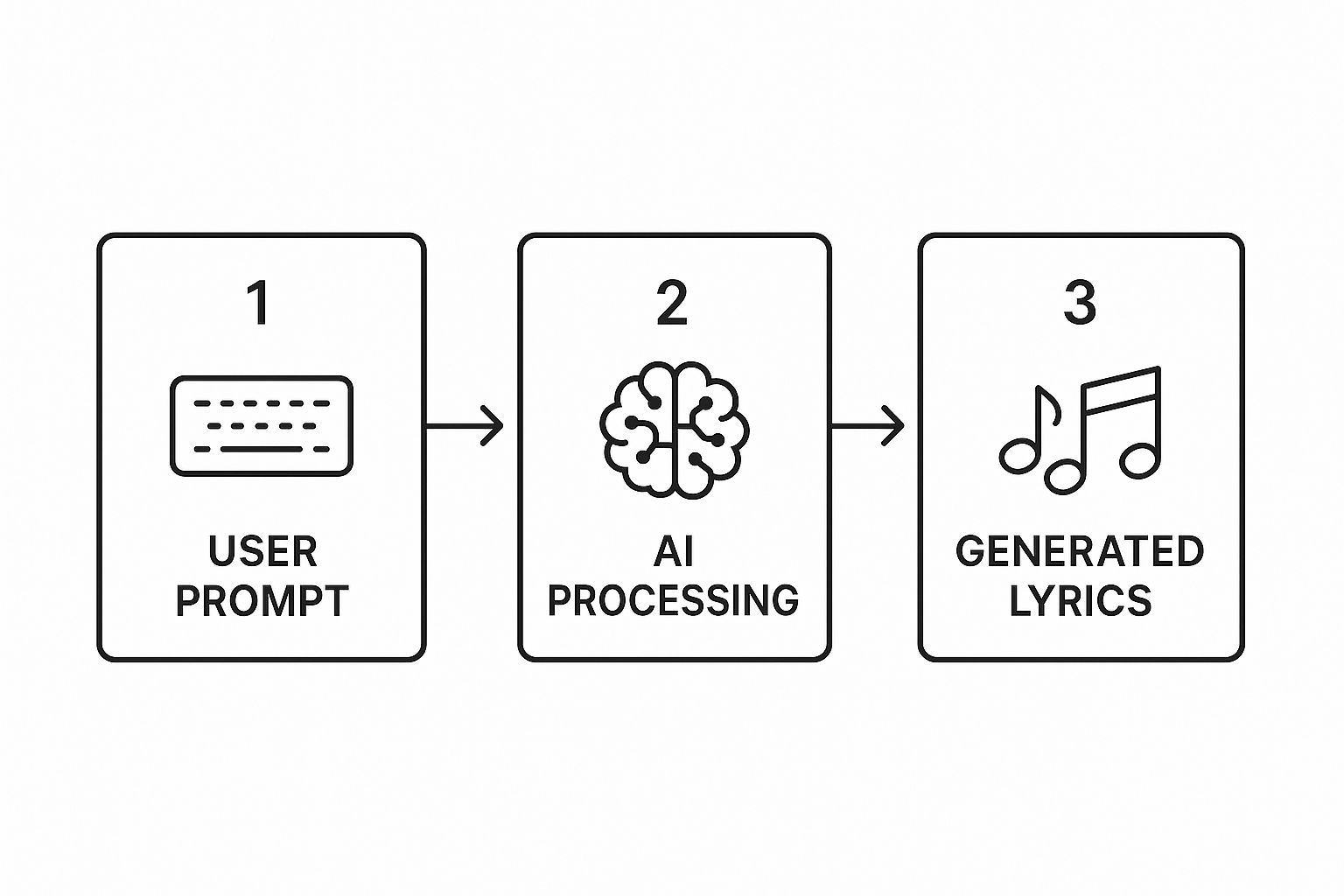
This kind of immediate feedback means you can spend less time waiting for a spark and more time actually writing and refining your song. The rise of creative tools like this is happening alongside massive growth in the music industry, which saw global revenues climb to $29.6 billion after a solid decade of expansion.
When you're ready to jump-start your next song, Download Lyric Studio free on iOS and see what its "Magic Draft" can create for you.
Refining and Elevating Your Lyrics

Alright, you’ve used the “Magic Draft” feature and now you have a solid starting point. This is where the real fun begins. Think of that draft as a lump of clay—it has the potential to be something great, but it’s up to you to shape it into a finished piece of art. Your creative instincts are what will turn this from a good idea into a great lyric.
The goal here is to polish every line until it really shines. One of the quickest ways to do this is by upgrading your word choice. Sure, simple words can work, but more vivid, evocative language is what really pulls a listener in and makes them feel something. This is where a smart creative partner can make a world of difference.
Enhancing Your Word Choice
Lyric Studio comes with integrated rhyme and thesaurus tools built right in, and they're designed with songwriters in mind. These aren't just your standard dictionary tools; the suggestions are context-aware, so they actually fit the mood and theme you're writing about.
Let's say your draft has a simple word like ‘sad.’ Instead of just settling for that, the thesaurus can offer alternatives that add a lot more depth:
Hollow gives you that feeling of emptiness.
Somber sets a more serious, almost reflective mood.
Wistful brings in a sense of gentle, melancholic longing.
See the difference? It's not about finding a bigger word; it's about finding the right word. You're refining the meaning. The app gives you the options, but you make the final call, making sure every single word serves the song. For more on this, we've got a great guide on how to make rhymes faster and with more impact.
Think of the AI as your personal editor. It’s brilliant at spotting clunky phrases and offering up smoother, more poetic ways to get your point across. You can keep tweaking a line until it just feels perfect.
By experimenting with different rhymes and rewriting any lines that feel a little weak, you can elevate your draft piece by piece. This back-and-forth process is how you transform an AI-assisted idea into a polished song that genuinely sounds like you.
Ready to give it a try? Download Lyric Studio free on iOS (https://apps.apple.com/us/app/lyric-studio-rap-rhyme-maker/id1600316328) and see how the tools can take your writing to the next level. The app is free to download, but some features may require in-app purchases.
Building a Complete Song Structure
A verse and a chorus are a fantastic starting point, but let's be real—that's just the skeleton of a song. To flesh it out into a complete track that really connects with listeners, you need to think like a storyteller. Each section has a job to do.
Think about it this way: your first verse sets the scene. The second verse? That's where you raise the stakes. You can introduce a new detail, show a change in perspective, or deepen the conflict. The bridge isn't just filler, either. It’s your chance to offer a moment of clarity or ask a question before you drive it all home with that final chorus.
Crafting a Narrative Arc
This is where a creative assistant like Lyric Studio can be a game-changer. Instead of staring at a blank page wondering what comes next, you can guide the AI to build on what you've already created.
Let's say you're working on a somber track about feeling lost. You can ask Lyric Studio to write a bridge that introduces a "glimmer of hope." This keeps your song's story cohesive, even as you add new parts.
The real magic happens when you treat the AI-generated lines as raw material. The AI gives you the clay, but you're the one who shapes it into something that tells your story with real emotional weight.
This method isn't just for hobbyists; it's becoming a go-to technique in many genres. Take electronic music, where the global industry has ballooned to a record $12.9 billion. Producers are constantly using digital tools to experiment with song structures and generate lyrical ideas that fit a specific vibe, speeding up the creative process. If you're curious, you can read more about this trend and its impact on the music economy.
Ready to build your next track, piece by piece? Download Lyric Studio free on iOS and start putting the puzzle together. Please note that while the app is free to download, in-app purchases may apply.
Got Questions About AI Songwriting?

Dipping your toes into AI songwriting for the first time usually brings up some fair questions. I get it. A lot of artists I talk to wonder if an AI can really help them write lyrics that feel authentic and, well, human. Let's tackle some of those common uncertainties head-on.
The biggest one is always originality. Can a tool really help you write lyrics that sound like you? The short answer is yes, because you're the one driving.
Think of an app like Lyric Studio as a creative partner, not a replacement. It’s a collaborator that serves up ideas based on your specific directions—the theme you set, the genre you choose, the mood you're after. You're still the artist who curates and refines those suggestions into something that feels like your own.
But Can AI Handle My Genre?
This is another question I hear a lot. "Sure, it works for pop, but what about my niche?" It's a valid concern, but Lyric Studio is built to be incredibly versatile.
Lyric Studio, for instance, is designed to adapt to a whole spectrum of styles:
Pop & R&B: It can suggest lines that fit right into modern melodic structures.
Hip-Hop: You can get rhymes and rhythms that actually flow.
Rock & Country: It's great for crafting lyrics that tell a compelling story, which is the heart of those genres.
The key is the genre & mood customization. This feature tells the AI what sandbox to play in, ensuring its suggestions feel right for the sound you're chasing.
The AI gives you the raw material. Your unique edits, your phrasing, and your artistic choices are what turn those suggestions into a finished song. It’s a partnership where your vision always leads the way.
What If I Have Zero Ideas to Start With?
That’s actually the perfect time to fire up a creative assistant. Staring at a blank page is the worst.
If you’re stuck, just start with a feature like “Magic Draft.” All you have to do is pick a genre and a mood—say, ‘Pop’ and ‘Hopeful’—and let Lyric Studio generate a quick verse and chorus. Instantly, you have something to react to, edit, or build from. It’s a fantastic way to shatter writer’s block.
Ready to conquer that blank page? With Lyric Studio, you can get a real start on your next song in just a few minutes. Download Lyric Studio for free on iOS and see what you can create. Please note that in-app purchases are available.

SCAN TO GET