Back to articles
12 Best Free Music Composition Software Tools for 2025
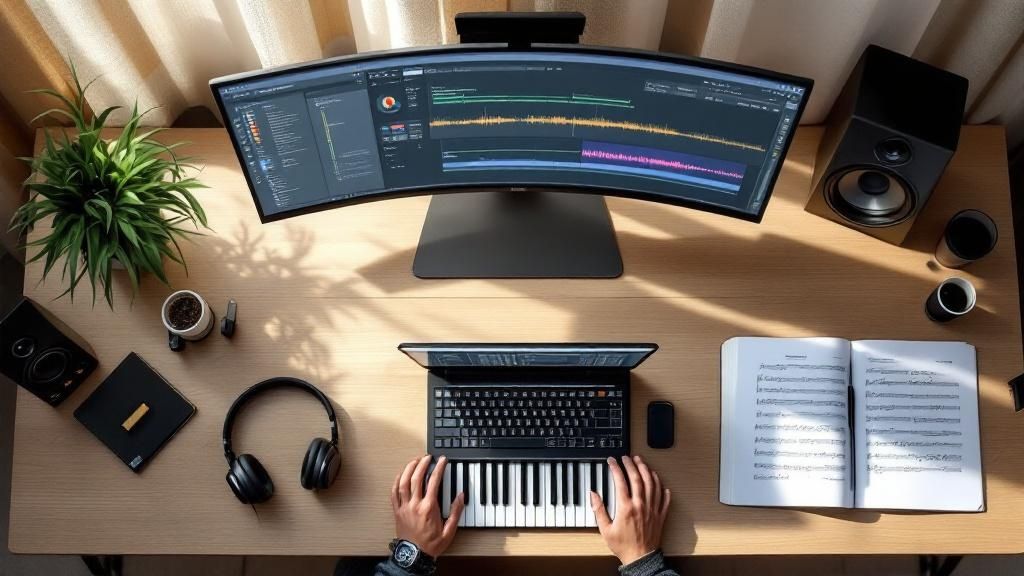
Turning a spark of musical inspiration into a finished song can feel daunting, especially when professional software comes with a hefty price tag. The great news is that a powerful studio is more accessible than ever, thanks to an incredible array of free tools. Whether you're a songwriter looking to sketch out lyrics and a melody, a producer building beats from scratch, or a composer arranging complex orchestral pieces, there's a no-cost solution ready to bring your vision to life.
However, navigating the vast world of digital audio workstations (DAWs), notation editors, and AI-powered creative assistants can be overwhelming. Which one is right for your specific workflow? How do you move past writer’s block when you're just starting?
This guide cuts through the noise. We’ll break down the 12 best free music composition software options available today, focusing on practical uses, unique strengths, and honest limitations. We'll explore tools that help you craft compelling lyrics with AI-driven suggestions, generate entire song structures, and produce polished tracks. Once your masterpiece is complete, you might even want to seamlessly add your composed music to videos for visual projects.
Your next song starts here. For emerging artists needing to kickstart the songwriting process, we recommend starting with Lyric Studio. It provides genre-aware lyric suggestions and a “Magic Draft” feature to instantly create a verse-and-chorus, making it an excellent creative assistant. Download Lyric Studio free on iOS to overcome writer's block and refine your ideas. Note that in-app purchases may apply.
1. Lyric Studio
Lyric Studio distinguishes itself in the landscape of music composition software by placing a powerful emphasis on lyrical creation. Rather than presenting a blank slate, it functions as a sophisticated AI creative assistant, engineered specifically to help songwriters overcome writer's block and build a robust lyrical foundation. Its core strength lies in providing context-aware, AI-driven lyric suggestions that intelligently adapt to your chosen genre, theme, and emotional tone, making it an invaluable tool for any composer who starts with words.
This platform isn't just about generating lines; it’s a comprehensive ecosystem for lyrical development. The integrated rhyme and thesaurus tools allow for meticulous refinement of every word, while genre and mood customization ensures the AI suggestions align perfectly with your artistic vision, whether you're crafting a pop anthem or a hip-hop narrative.
Key Strengths and Use Cases
Lyric Studio excels where many traditional DAWs fall short, bridging the gap between a lyrical idea and a structured song. The "Magic Draft" feature is a prime example, capable of instantly generating a verse-and-chorus structure to kickstart your creative process when you're unsure where to begin. This makes it one of the best free music composition software options for artists focused on strong storytelling.
Practical Use Case: A songwriter working on a new R&B track has a core concept but feels stuck on the second verse. Using Lyric Studio, they input their theme and receive AI suggestions that fit the song's soulful mood. They use the integrated rhyme tool to find the perfect word to complete a key line, then use "Magic Draft" to experiment with a new bridge, instantly unlocking a new direction.
Once the lyrics are polished, you can use the built-in beat generator or upload your own instrumental track. The platform even includes a recording studio to capture vocal ideas directly, transforming a lyrical concept into a song-ready demo seamlessly.
Pros: AI-driven, context-aware lyric suggestions that adapt to theme and genre; "Magic Draft" to instantly generate a first verse-and-chorus; integrated rhyme and thesaurus tools.
Cons: Full functionality may require in-app purchases; new users may need time to fully master the advanced AI features.
Platform: Available on iOS.
Ready to stop staring at a blank page and start creating? Download Lyric Studio free on iOS to get AI-powered lyric suggestions and finish your next song faster. (Note: in-app purchases may apply).
2. LMMS (Linux MultiMedia Studio)
LMMS, which stands for Linux MultiMedia Studio, is a powerful and completely free digital audio workstation (DAW). It's designed to function similarly to popular commercial programs, making it one of the best free music composition software options for those familiar with a pattern-based workflow. Users can create entire tracks from scratch by arranging samples, composing melodies in the Piano Roll editor, and mixing with built-in effects.
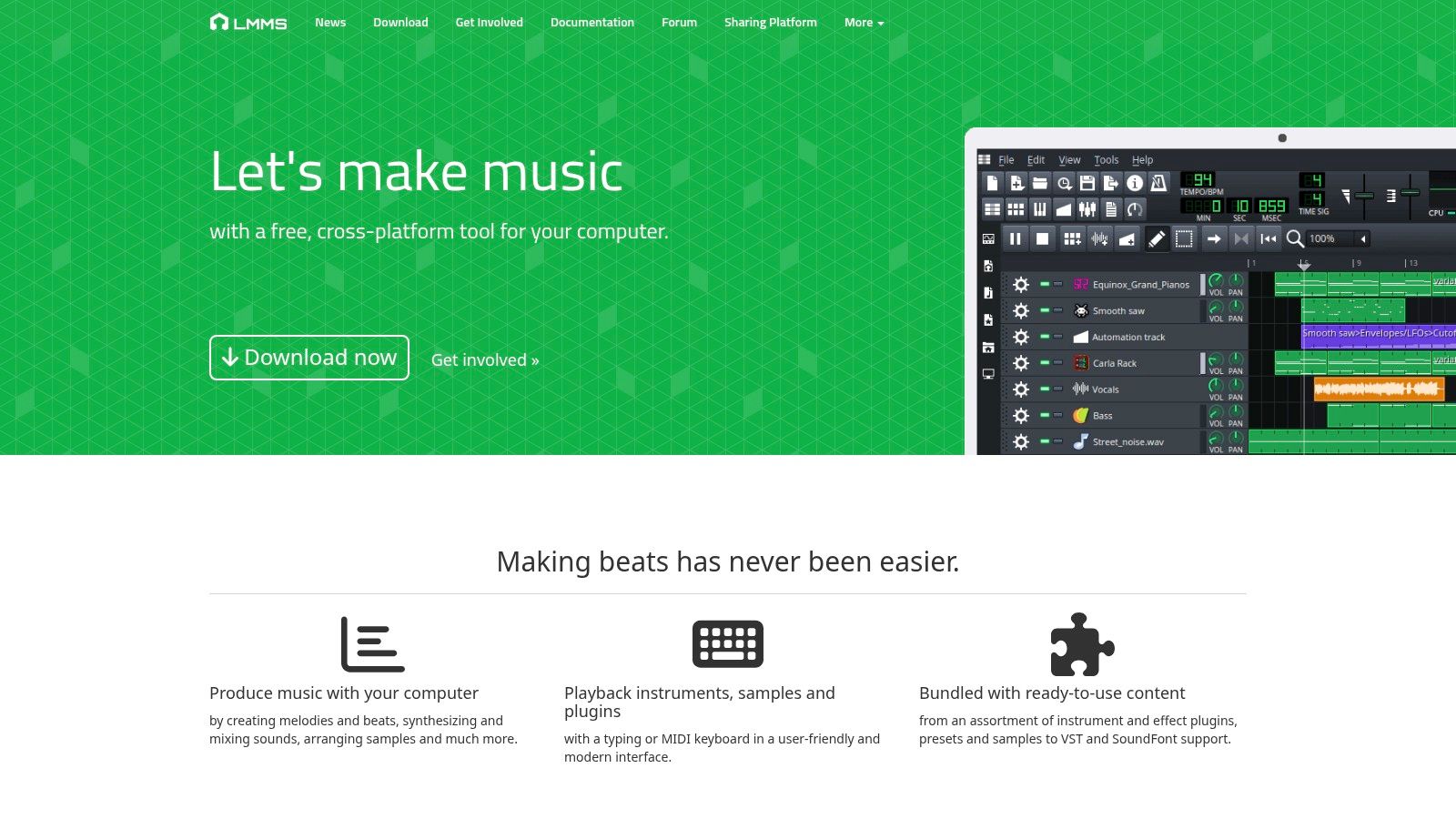
What makes LMMS stand out is its commitment to being a zero-cost, open-source project without sacrificing core features. It supports third-party VST plugins and SoundFont files, which vastly expands your sound library beyond its capable built-in synthesizers. Although its primary strength is in MIDI-based production rather than audio recording, its user-friendly, pattern-based approach is perfect for electronic music producers and beatmakers. While it’s powerful, it remains a great tool even if you're exploring music production software for beginners.
Key Features and Use Case
Platform: Windows, macOS, Linux
Best For: Electronic music production, beat making, and composing with MIDI and virtual instruments.
Pros: Entirely free and open-source, strong community support, and extensive plugin compatibility.
Cons: Limited audio recording and editing tools, and the interface may feel dated to some.
Website: https://lmms.io/
3. MuseScore
MuseScore is a professional-grade music notation software that stands out by being completely free and open-source. It is an exceptional tool for composers, arrangers, and music educators who need to create, play back, and print high-quality sheet music. Unlike Digital Audio Workstations (DAWs) that focus on audio production, MuseScore’s strength lies in its sophisticated score-writing capabilities, making it one of the best free music composition software options for traditional and classical musicians.
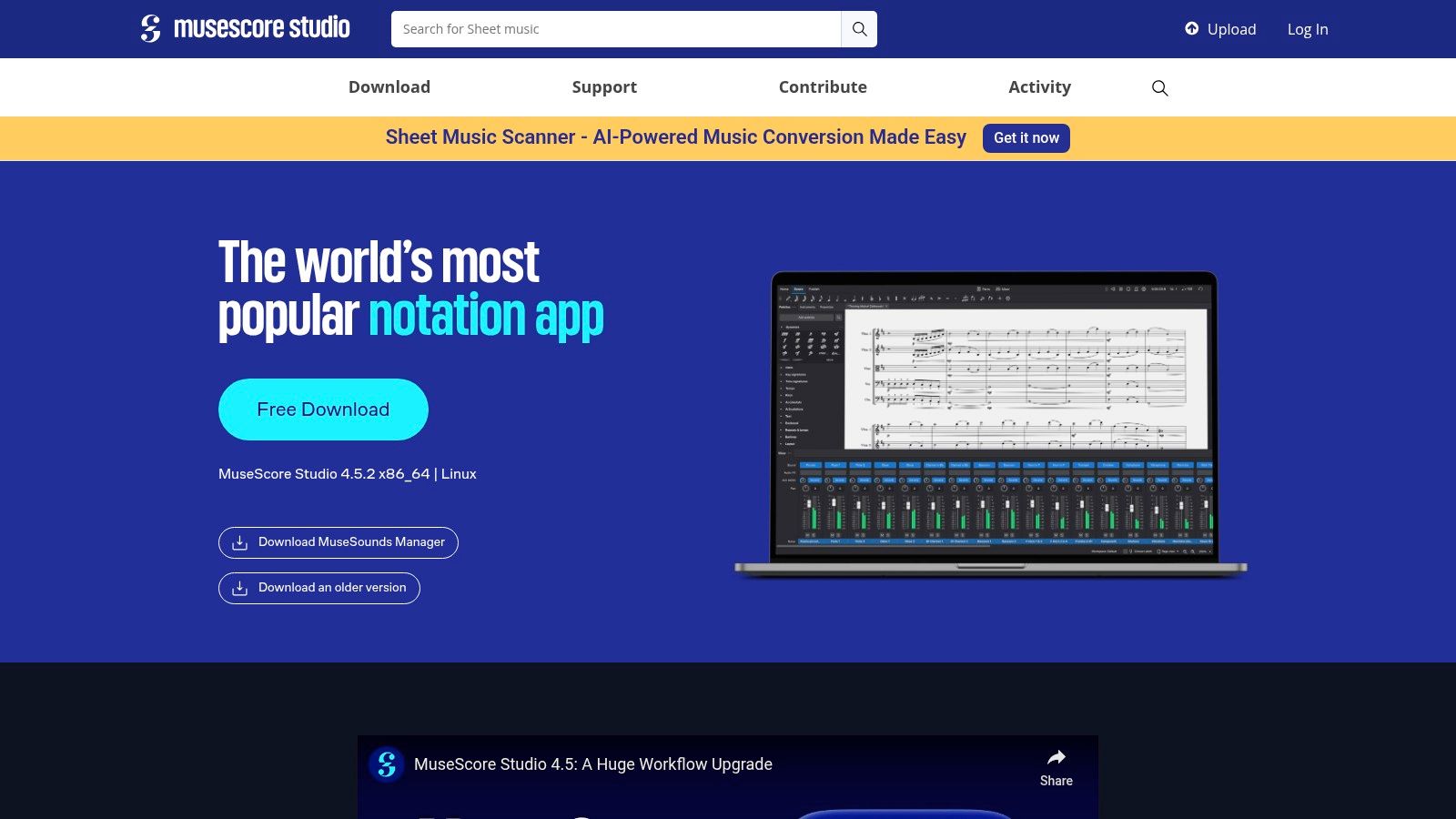
What makes MuseScore so valuable is its dedication to providing a comprehensive notation experience without a price tag. It supports an extensive range of musical symbols and notations, allows for MIDI keyboard input, and offers flexible export options, including PDF and MusicXML. Its large online community shares a vast library of scores, creating a collaborative environment. For songwriters looking to formalize their ideas, understanding the fundamentals of notation is key, and you can explore more about music theory for songwriters to enhance your compositions. If you're looking for an AI-powered creative assistant to generate initial lyrical ideas, you can download Lyric Studio free on iOS.
Key Features and Use Case
Platform: Windows, macOS, Linux
Best For: Creating sheet music, score writing, music education, and arranging for ensembles.
Pros: Intuitive and clean interface, completely free with no hidden costs, and a massive online score library.
Cons: Playback sounds can be basic and lack realism, and it has fewer advanced editing tools than paid notation software.
Website: https://musescore.org/
4. Cakewalk by BandLab
Cakewalk by BandLab offers a complete, professional-level digital audio workstation (DAW) experience entirely for free. Once a premium product, its acquisition by BandLab made its full feature set accessible to everyone. This makes it one of the most powerful and comprehensive options on the market, providing tools for composing, recording, editing, mixing, and mastering without any cost. Its traditional DAW layout is perfect for those who want a robust, all-in-one production environment.
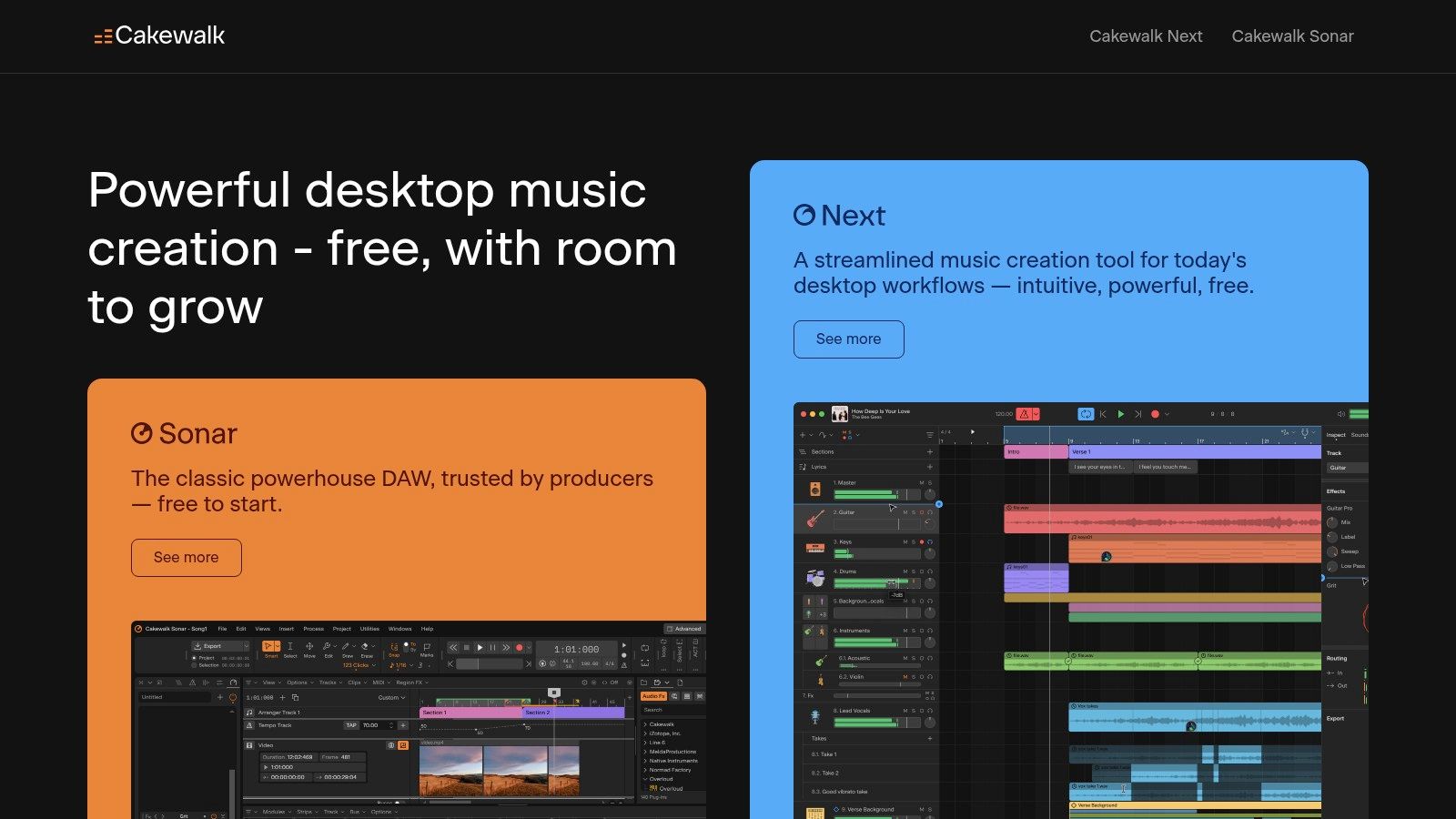
What truly sets Cakewalk apart is that it provides unlimited audio and MIDI tracks, a rarity in the world of free software. It supports VST3 and ARA plugins, allowing for seamless integration with modern effects and instruments. While its feature depth might present a learning curve for absolute beginners, its clean, customizable interface and regular updates from BandLab make it an unbeatable choice for serious musicians on a budget. It is a fantastic piece of free music composition software for creating complex, multi-layered projects from start to finish.
Key Features and Use Case
Platform: Windows
Best For: All-in-one music production, from recording and MIDI composition to mixing and mastering.
Pros: Fully-featured professional DAW at no cost, unlimited tracks, and strong VST3 support.
Cons: Windows-only, and its extensive features can be overwhelming for new users.
Website: https://www.bandlab.com/products/cakewalk
5. GarageBand
For anyone in the Apple ecosystem, GarageBand is an undeniable powerhouse and one of the best free music composition software options available. It comes pre-installed on every Mac, iPad, and iPhone, offering a surprisingly feature-rich digital audio workstation (DAW) at zero cost. Its intuitive design allows beginners to start creating immediately, whether by dragging and dropping from the extensive loop library, playing virtual instruments with a keyboard, or recording live audio.
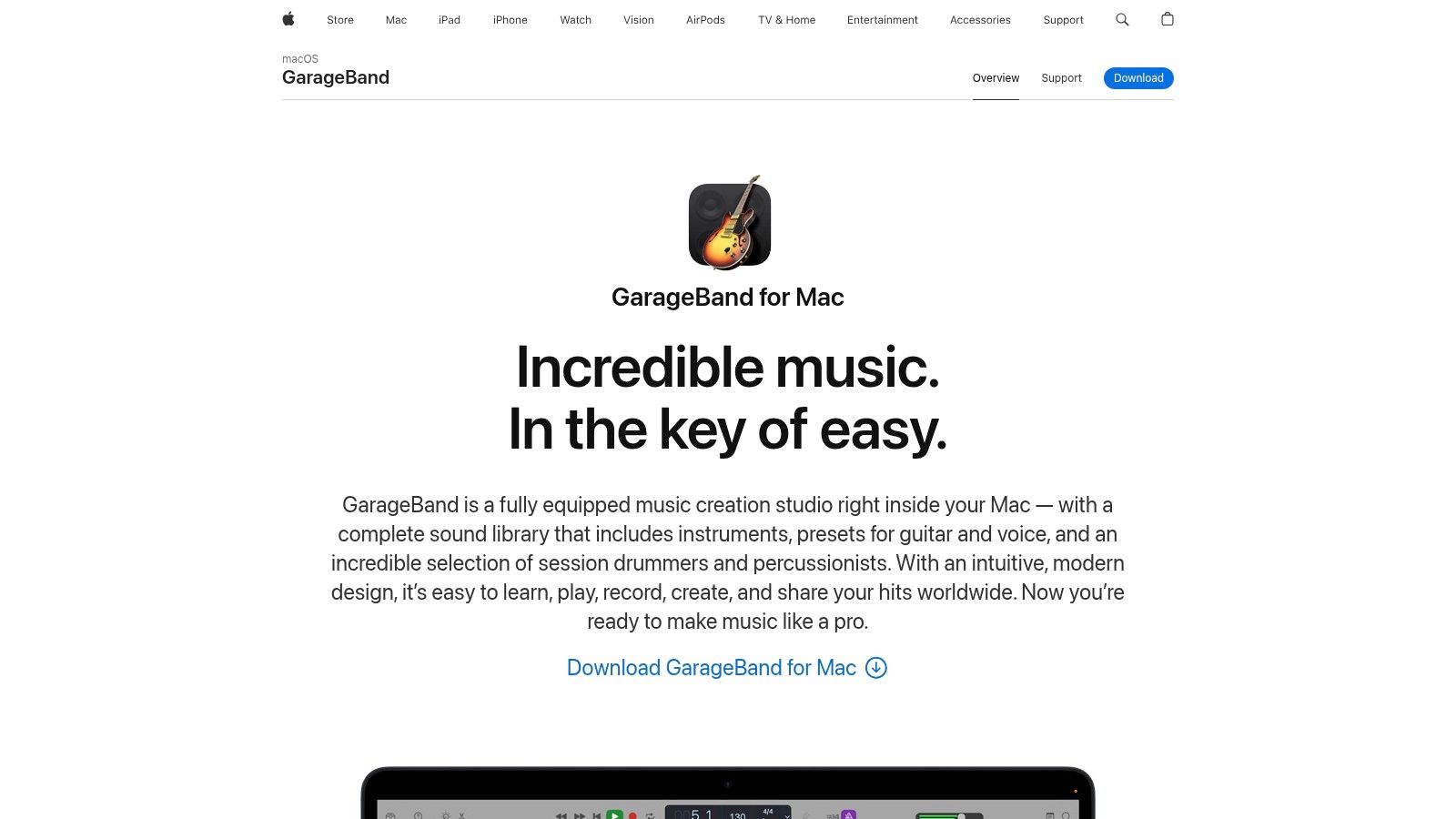
What makes GarageBand stand out is its seamless integration and high-quality sound library, which is rare for free software. You can start a track on your iPhone and finish it on your Mac, making it perfect for capturing ideas on the go. While it lacks some of the advanced mixing and mastering tools of professional-grade DAWs, its powerful MIDI editing, virtual Drummer track, and straightforward recording capabilities provide more than enough to produce polished, complete songs from start to finish.
Key Features and Use Case
Platform: macOS, iOS
Best For: Beginners, hobbyists, and Apple users looking for an integrated and user-friendly recording environment.
Pros: Completely free for Apple users, incredibly intuitive interface, and a high-quality library of sounds and loops.
Cons: Exclusive to the Apple ecosystem and missing some advanced features for professional-level production.
Website: https://www.apple.com/mac/garageband/
6. BandLab
BandLab has revolutionized music creation by offering a powerful, cloud-based digital audio workstation that is entirely free and accessible from almost any device. It functions as a complete ecosystem where artists can compose, record, collaborate, and even share their music with a global community. Users can start a project on their phone during a commute and seamlessly continue working on their laptop at home, making it one of the best free music composition software options for creators on the go.

What truly sets BandLab apart is its emphasis on real-time collaboration. You can invite other musicians into your project to record parts, offer feedback, and build a track together, regardless of where they are in the world. This social-first approach, combined with a robust set of built-in virtual instruments, effects, and mastering tools, removes nearly all barriers to entry. Whether you're recording a multi-track song with a bandmate or just sketching out an idea, its user-friendly interface makes the process intuitive and fun.
Key Features and Use Case
Platform: Web browser, iOS, Android
Best For: Real-time collaboration, multi-device workflows, and social music creation.
Pros: Completely free with no hidden fees, accessible from any device, and a large, active community for feedback and collaboration.
Cons: Heavily reliant on a stable internet connection and offers limited functionality for offline work.
Website: https://www.bandlab.com/
7. Ardour
Ardour is a professional-grade, open-source digital audio workstation (DAW) that brings high-end recording, editing, and mixing capabilities to everyone. Unlike many free tools focused solely on electronic production, Ardour excels at handling complex audio and MIDI projects, making it a contender for the title of best free music composition software for those needing robust, traditional studio features without the price tag. Its workflow is geared toward engineers, sound designers, and musicians who require precision and flexibility.
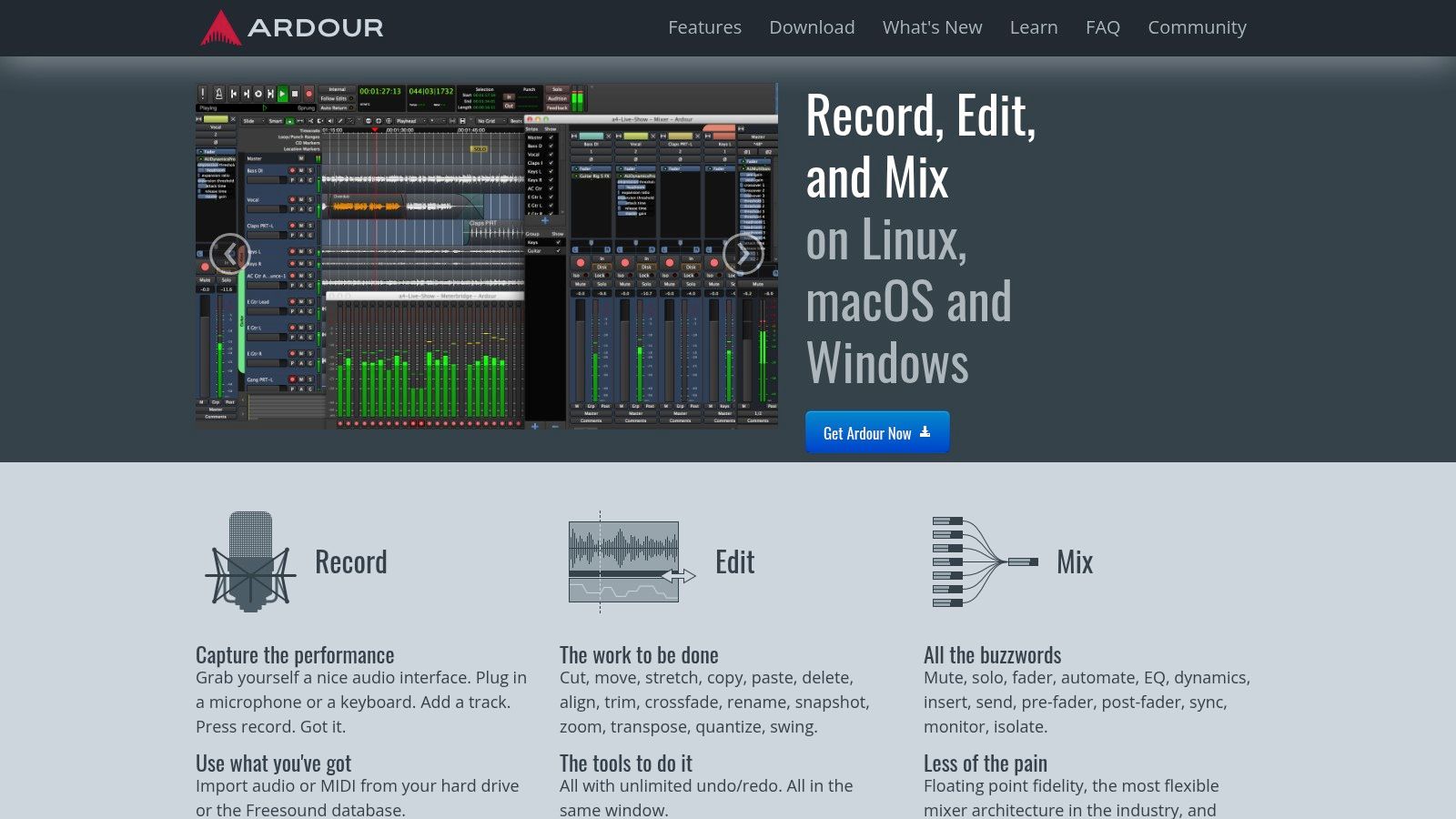
What truly sets Ardour apart is its commitment to professional standards, offering unlimited tracks, non-destructive editing, and intricate signal routing that rivals paid software. While its deep feature set presents a steeper learning curve for absolute beginners, its power is undeniable for those willing to learn. The platform’s cross-platform nature and strong community backing ensure it remains a reliable and evolving tool for serious audio work, from tracking a full band to mixing a film score.
Key Features and Use Case
Platform: Windows, macOS, Linux
Best For: Multi-track audio recording, advanced mixing, and detailed MIDI editing for experienced users.
Pros: Highly customizable interface, extensive plugin support (VST, LV2, AU), and powerful routing options.
Cons: The learning curve can be challenging for new users, and some advanced features require manual setup.
Website: https://ardour.org/
8. Tracktion T7
Tracktion T7 is a fully featured digital audio workstation (DAW) offered completely free, making it a standout choice for producers who want professional power without the price tag. Unlike other free DAWs that often impose limitations, T7 gives users unlimited audio and MIDI tracks, advanced automation, and powerful editing tools. This makes it one of the best free music composition software options for creating complex projects from start to finish, from initial recording to final mixdown.
What truly sets Tracktion T7 apart is its single-screen, drag-and-drop workflow. While this design can be unconventional for those accustomed to traditional DAWs, it is highly efficient once mastered. The DAW supports VST plugins, allowing for extensive sound customization beyond its native capabilities. By offering a version of their flagship software without feature restrictions, Tracktion provides a robust platform that can grow with you from beginner projects to advanced productions.
Key Features and Use Case
Platform: Windows, macOS, Linux
Best For: All-in-one music production, from recording and MIDI sequencing to mixing and mastering.
Pros: Completely free with no track limits or feature restrictions, modern and customizable interface, and receives regular updates.
Cons: The single-panel workflow has a learning curve, and it includes fewer built-in virtual instruments than some competitors.
Website: https://www.tracktion.com/products/t7-daw
9. Waveform Free
Waveform Free by Tracktion is a surprisingly powerful and fully-featured digital audio workstation (DAW) offered at no cost. Unlike many "lite" versions of paid software, Waveform Free imposes no artificial track limits, plugin restrictions, or timeout features. This makes it a standout choice for producers who want a professional-grade environment without the upfront investment, allowing you to build complex projects with unlimited audio and MIDI tracks.
What truly sets Waveform Free apart is its commitment to providing a complete production experience. It supports all popular third-party VST and AU plugins, features a modern and customizable interface with drag-and-drop workflows, and includes a solid suite of built-in effects and editing tools. This makes it one of the best free music composition software options for those who want to grow without hitting a paywall. While its advanced features can present a steeper learning curve for absolute beginners, its power is undeniable for serious hobbyists and aspiring professionals.
Key Features and Use Case
Platform: Windows, macOS, Linux
Best For: All-in-one music production, from recording and MIDI sequencing to mixing and mastering.
Pros: Truly free with no track or plugin limitations, modern and flexible interface, and strong cross-platform support.
Cons: The initial learning curve can be challenging for new users, and some advanced workflow tools are reserved for the Pro version.
Website: https://www.tracktion.com/products/waveform-free
10. Qtractor
Qtractor is a dedicated digital audio workstation (DAW) built as a free, open-source project specifically for the Linux community. It offers a straightforward approach to multi-track audio and MIDI sequencing, providing a traditional, linear workflow that is both powerful and efficient. Users can record, edit, and mix their compositions in a non-destructive environment, making it a reliable tool for tracking instruments and arranging MIDI parts without clutter.
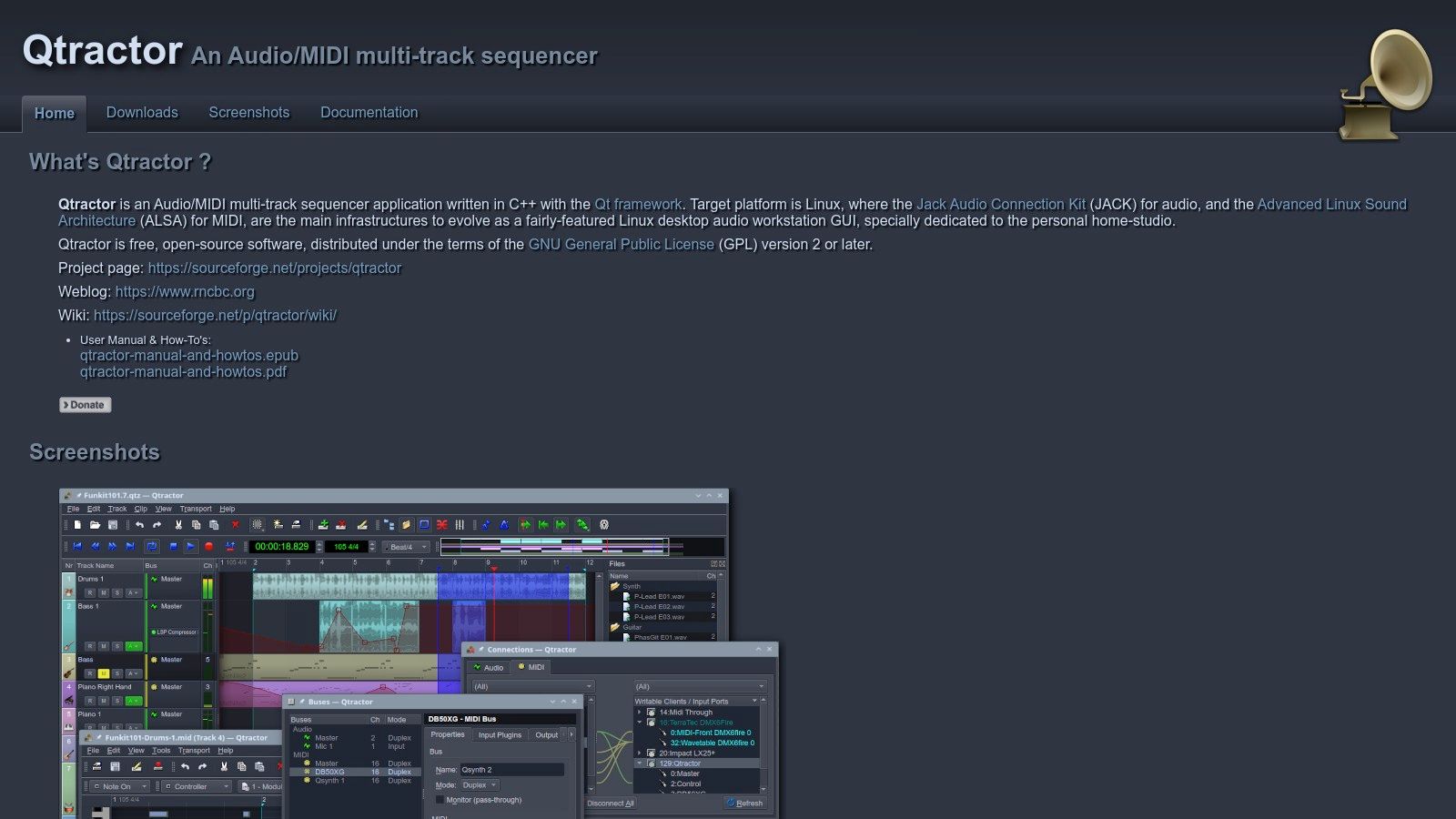
What makes Qtractor a standout piece of free music composition software is its lean design and deep integration with the Linux audio ecosystem. It fully supports common Linux plugin formats like LADSPA, DSSI, and LV2, giving users access to a vast range of community-developed effects and instruments. While its interface may seem basic compared to commercial DAWs, its focus on core functionality and stability makes it an excellent choice for Linux-based musicians who prioritize performance and an uncluttered workspace over visual flair. Its active development ensures it remains a dependable option.
Key Features and Use Case
Platform: Linux
Best For: Audio recording, MIDI sequencing, and traditional mixing on Linux systems.
Pros: Lightweight and resource-efficient, strong support for Linux-native plugins, and active community development.
Cons: Exclusive to the Linux operating system, and the user interface can feel dated.
Website: https://qtractor.org/
11. MilkyTracker
For those nostalgic for the classic sound of 90s video games and demoscene music, MilkyTracker is an essential tool. It’s a dedicated music tracker that faithfully emulates the FastTracker 2 workflow, one of the most popular trackers of its era. Instead of a piano roll or traditional notation, users compose by arranging samples vertically in a grid-like pattern, offering a unique and highly efficient method for creating chiptune and other retro electronic genres. It is one of the best free music composition software options specifically for this niche.
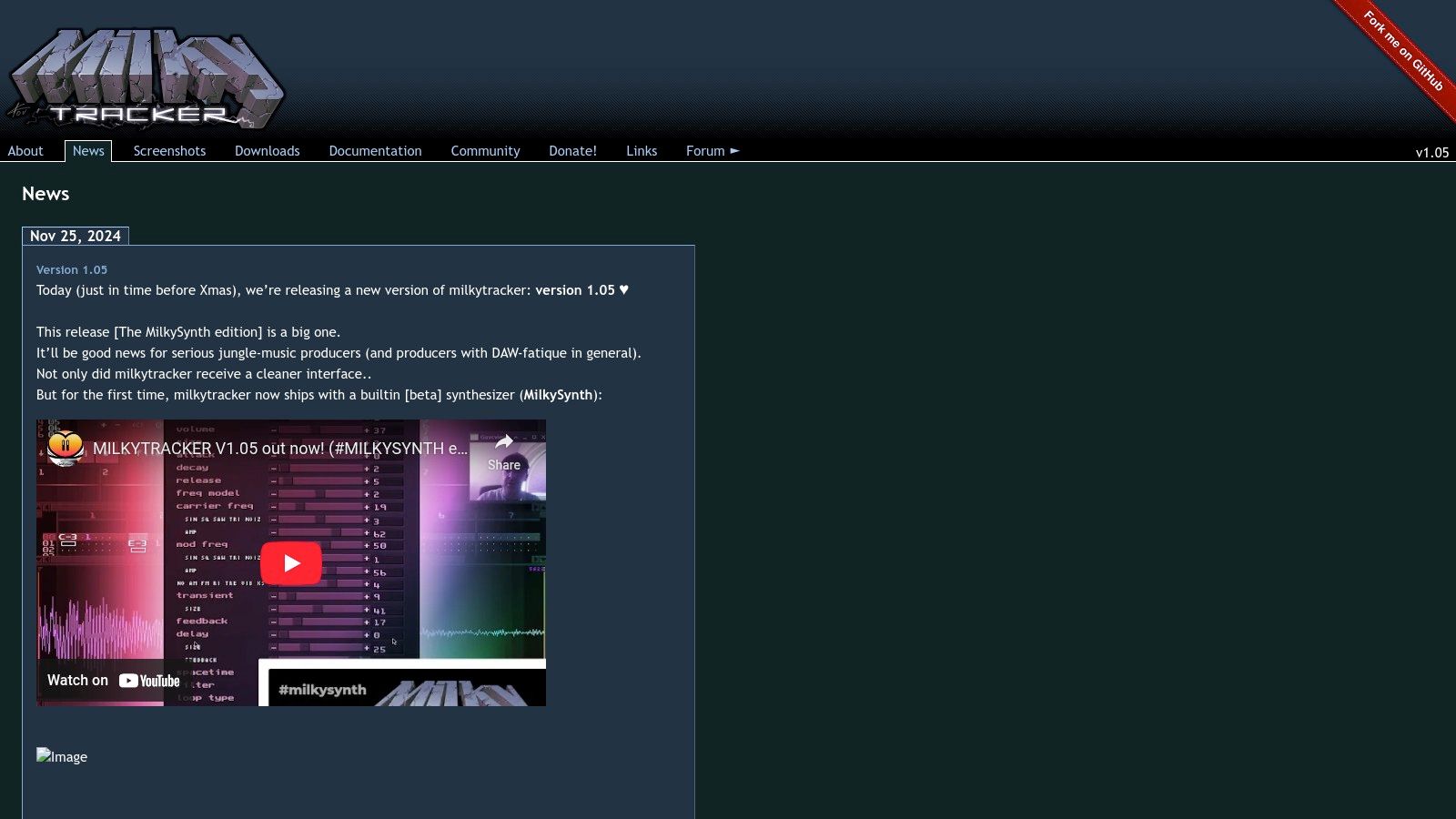
What makes MilkyTracker stand out is its purity and focus. It doesn't try to be a modern, all-encompassing DAW; instead, it perfects the tracker experience. It’s incredibly lightweight, running smoothly on virtually any system, including older hardware. Its built-in sample editor and support for various classic module formats (like MOD and XM) make it a self-contained environment for producing authentic-sounding retro tracks from scratch, all without costing a dime.
Key Features and Use Case
Platform: Windows, macOS, Linux, and others
Best For: Creating chiptune, demoscene music, and retro video game soundtracks.
Pros: Extremely lightweight and fast, perfect for emulating a classic tracker workflow, and completely free.
Cons: The interface has a steep learning curve for newcomers, and it's limited to sample-based tracker composition.
Website: https://milkytracker.org/
12. Noteflight
Noteflight is a unique online music notation platform that allows users to create, view, and share musical scores directly within a web browser. Unlike traditional downloadable software, its cloud-based approach makes it incredibly accessible for composers, students, and educators who need to work on scores from different devices. The platform excels at standard music notation, making it a powerful tool for writing everything from a simple piano melody to a full orchestral arrangement.
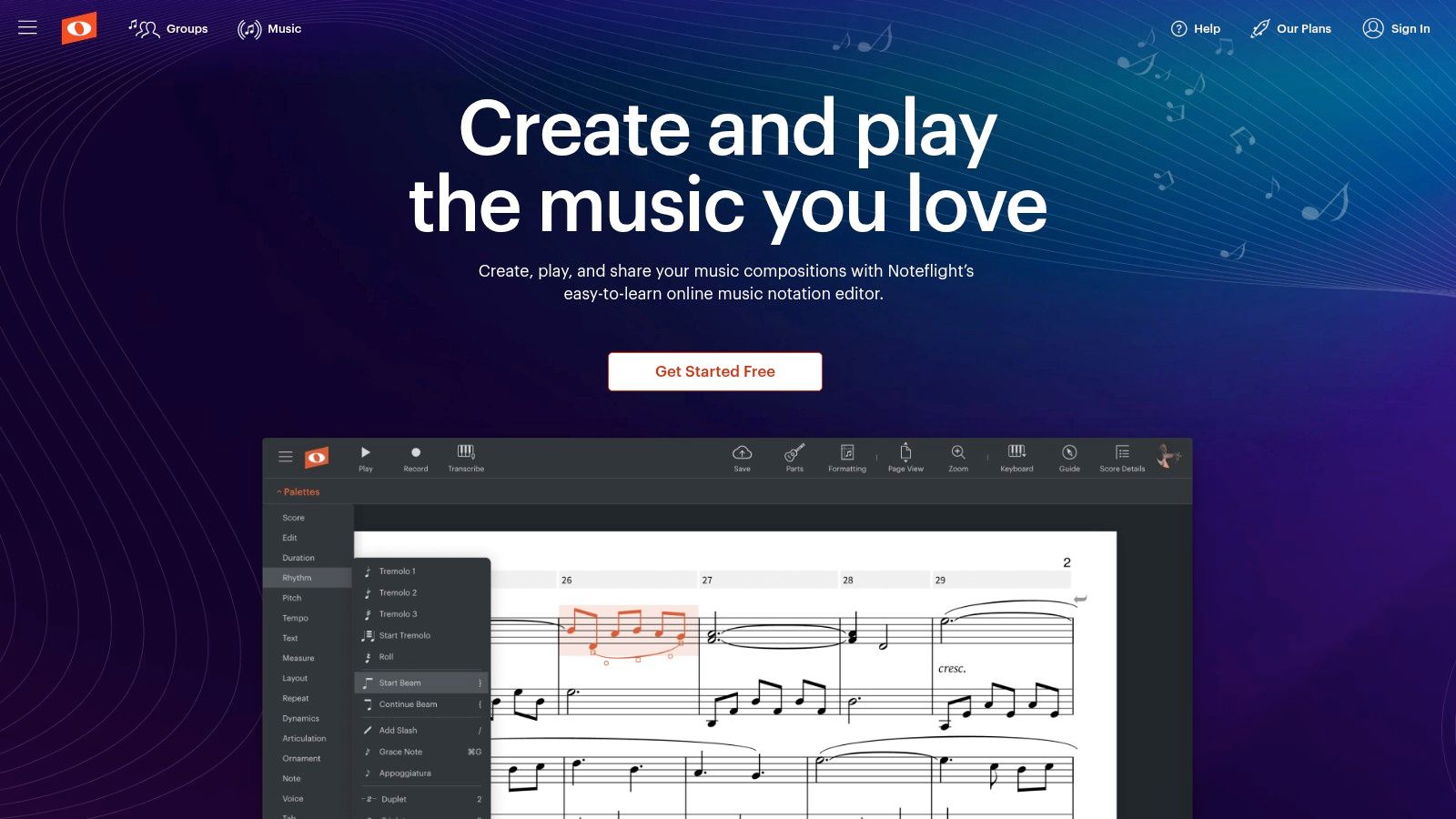
What makes Noteflight one of the best free music composition software options is its strong focus on collaboration and community. You can share your work with others in real-time, get feedback, and even browse a vast library of scores uploaded by other users. While the free version has limitations on the number of scores you can create, it provides more than enough functionality for beginners or those working on smaller projects. For those serious about composition, Noteflight offers a clear upgrade path to a premium subscription with advanced features.
Key Features and Use Case
Platform: Web-based (accessible on Windows, macOS, Linux, ChromeOS)
Best For: Music students, educators, and composers focused on traditional notation and collaborative writing.
Pros: No installation needed, user-friendly interface, and strong community and educational features.
Cons: The free version is limited, and it requires a constant internet connection to use.
Website: https://www.noteflight.com/
Feature Comparison of 12 Free Music Composition Tools
Product | Core Features/Capabilities | User Experience / Quality ★★★★☆ | Value Proposition 💰 | Target Audience 👥 | Unique Selling Points ✨ | Price Points 💰 |
|---|---|---|---|---|---|---|
🏆 Lyric Studio | AI-driven lyric generation, rhyme tools, "Magic Draft" | AI-assisted writing, sleek mobile-first UI | Powerful AI creative assistant | Songwriters, lyricists, all levels | AI-driven suggestions, instant verse-chorus generation | Free download (IAP applies) |
LMMS | Cross-platform DAW, VST support, built-in instruments | User-friendly but slightly outdated UI | Completely free | Beginners, composers, hobbyists | Open-source, multi-OS, active community | Free |
MuseScore | Music notation, MIDI I/O, export PDF/MIDI | Intuitive, good for beginners | Free with extensive learning tools | Composers, arrangers, educators | Rich notation features, large score library | Free |
Cakewalk by BandLab | Unlimited tracks, pro mixing, VST3 & ARA support | Professional, customizable interface | Pro-grade DAW for free | Windows users, professional musicians | Full production suite without cost | Free |
GarageBand | Virtual instruments, loops, MIDI editing | Beginner-friendly, smooth Apple integration | Free entry-level DAW | Mac/iOS users, hobbyists | Extensive loops, Apple ecosystem integration | Free with Apple devices |
BandLab | Cloud DAW, multi-track, real-time collaboration | Accessible anywhere, easy collaboration | Free, web-based | Remote collaborators, beginners | Online collaboration tools, cross-device access | Free |
Ardour | Unlimited tracks, plugin support, flexible routing | Highly customizable, steeper learning curve | Open-source, professional features | Advanced users, pros | Strong plugin support, multi-platform | Free / Donation-based |
Tracktion T7 | Unlimited tracks, VST support, advanced editing | Functional but unconventional interface | Full features for free | Beginners & advanced users | No feature limitations, regular updates | Free |
Waveform Free | Unlimited audio/MIDI tracks, plugin support, automation | Modern, customizable UI, regular updates | Free with upgrade options | Cross-platform users | Drag/drop UI, VST/AU plugins | Free / Pro upgrade available |
Qtractor | Non-linear editing, MIDI, plugin support | Lightweight, basic UI | Linux-specific, free | Linux users, both beginner & advanced | Simple, efficient Linux DAW | Free |
MilkyTracker | Tracker-based MOD/XM composing, sample editor | Lightweight, niche interface | Free, low resource use | Chiptune creators, retro music fans | Classic tracker emulation | Free |
Noteflight | Cloud music notation, real-time collaboration | User-friendly, web-based | Free basic, premium advanced | Educators, students, composers | Online score sharing & collaboration | Free / Premium subscription |
Unleash Your Creativity and Start Composing Today
The journey through the world of free music composition software reveals one powerful truth: the barriers to creating music have all but vanished. From full-featured Digital Audio Workstations like Cakewalk and Waveform Free to specialized notation editors like MuseScore, the tools at your disposal are more powerful and accessible than ever. We've explored a wide spectrum, covering everything from the beginner-friendly interface of GarageBand to the old-school charm of MilkyTracker. Finding the best free music composition software for you isn't about picking the one with the most features; it’s about choosing the one that complements your unique creative process.
The key takeaway is that your personal workflow should dictate your choice of tools. Are you a traditional composer who thinks in terms of staves and clefs? MuseScore or Noteflight will feel like home. Do you build tracks from loops, samples, and virtual instruments? A DAW like LMMS or BandLab will be your ideal playground. Understanding how you build songs is the first step toward building an effective, custom-tailored creative environment.
Matching the Tool to Your Goal
Making a final decision can feel overwhelming, so let's simplify it. Consider these key factors when selecting your starting point:
For Lyrical Foundations: If your songs begin with words, a dedicated tool to overcome writer's block is essential. This is where an AI-powered creative assistant shines, helping you build a lyrical structure before you even touch a DAW.
For All-in-One Production: If you want a single program to handle recording, mixing, and mastering, a comprehensive DAW like Cakewalk by BandLab or Ardour is your best bet. These are professional-grade tools without the price tag.
For Beginners & Simplicity: If you're just starting out, GarageBand (for Apple users) and the browser-based BandLab offer incredibly intuitive platforms to learn the basics of music production without a steep learning curve.
For Niche & Specialized Creation: If your style leans toward electronic music or chiptunes, specialized software like Tracktion's offerings or MilkyTracker provides a workflow tailored to those genres.
The Power of a Strong Start
Ultimately, the most sophisticated DAW is useless without a compelling idea to develop. For countless songwriters, that core idea is born from lyrics. A strong verse or a memorable chorus provides the emotional and structural blueprint for the entire musical arrangement. This is why incorporating a creative assistant like Lyric Studio into your process is so transformative. By using its AI-driven suggestions and "Magic Draft" feature, you can instantly generate a solid lyrical foundation, giving you the momentum needed to dive into one of the powerful DAWs we've discussed and bring your vision to life.
The most important step is simply to begin. To broaden your creative toolkit beyond music, you might also consider exploring other free AI tools for creative endeavors that can help with brainstorming and visual art. Download a tool that sparks your interest, experiment freely, and give your musical ideas the chance to be heard.
Ready to build your next song from a foundation of powerful lyrics? Lyric Studio acts as your creative partner, using AI to help you find the perfect words and structure your ideas. Start crafting unforgettable hooks and verses today. Download Lyric Studio free on iOS (in-app purchases may apply).

SCAN TO GET