Back to articles
The Best Beat Maker for Rappers in 2024
The best beat maker for rappers is usually the one you've got on you when an idea hits. With today's apps, your phone becomes a studio in your pocket. You can lay down a track the second inspiration strikes, without forking over cash for studio time or buying a ton of gear. It puts all the creative power right back in your hands.
Why Mobile Beat Making Is a Game Changer
It wasn't that long ago that you needed a huge studio and a sound engineer to produce a real track. Those days are gone. Now, some of the dopest beats are made on a bus ride, during a lunch break, or late at night when an idea just won't let you sleep. This freedom comes from powerful mobile apps that pack professional tools onto the device you use every day.
Being able to create anywhere means you never have to let a good idea slip away. You can program a drum pattern the moment it gets stuck in your head or hum a melody into your phone while it's still fresh. It changes beat making from something you have to schedule into a natural part of your creative flow.
Taking Control of Your Sound
Let's be real, relying on other people for instrumentals can box you in. Spending hours scrolling through beat stores trying to find something that fits the lyrics you’ve already written is a grind. A mobile beat maker for rappers completely flips that process on its head.
Instead of trying to make your words fit someone else's music, you can build the music to fit your words. That connection is everything. You get to create a sound that perfectly matches your lyrical theme, the emotion you're trying to convey, and your specific flow. What you end up with is a track that feels completely unified, where the beat and vocals are locked in together.
The real advantage here is ownership. When you make your own beats, you're not just a rapper anymore. You're a producer, a composer, and the architect of your own sound.
Lowering the Barrier to Entry
The cost of equipment used to be a massive roadblock for new artists. That's not the case anymore. Technology has completely leveled the playing field. As explained on 99beats.com, the whole business for beat makers has been reshaped by tech and social media. High-quality production tools are now so accessible that anyone can create professional-sounding instrumentals from a laptop or even their phone.
This opens the door for so much raw talent to come through. It’s no longer about who has the most money, but who has the best ideas.
Your Creative Partner in Your Pocket
A modern beat-making app is more than just a piece of software; it's like a creative assistant. For example, Lyric Studio doesn't just help you make beats—it's built to help you write, too.
Imagine you just cooked up a fire beat. You could use a feature like “Magic Draft” to instantly get a first verse and chorus to get the ball rolling. Or, you could tap into AI-driven lyric suggestions that actually adapt to the mood and genre of the beat you just made.
This smooth connection between making the music and writing the words is where incredible things happen. Ready to start building your own sound from the ground up? Download Lyric Studio free on iOS and see for yourself. The app also offers optional in-app purchases if you want to unlock more features.
How to Find Your Sound with AI
Before you even think about laying down bars, you need a sound—your sound. This is where you turn a raw idea into a real track. It's not about scrolling through endless presets hoping to find a beat that's "good enough." It’s about creating an instrumental that speaks the same language as your lyrics from the jump.
This is where a good AI-powered beat maker for rappers becomes your secret weapon. Instead of wasting hours trying to find something that almost works, you can get specific right away.
What's the story you're trying to tell? Is it a dark, reflective track that calls for a moody, lo-fi hip-hop vibe? Or are you aiming for a club banger that needs an aggressive, high-energy trap beat? The right tool lets you translate that vision directly into sound.
Matching Beat and Lyrics: The Real Magic
The synergy between the beat and your words is what makes a song truly connect with listeners. A great beat doesn't just fill the background; it sets the entire stage for your performance, making every line hit harder.
When the instrumental perfectly matches your theme, the entire song is elevated.
Matching Your Beat's Mood to Your Lyrical Theme
Choosing the right genre and mood settings in a beat maker is key to complementing your lyrical style and storytelling. A mismatch here can completely undermine the message you're trying to send. Think of this table as a cheat sheet to get you started.
Lyrical Theme | Recommended Genre | Suggested Mood Settings |
|---|---|---|
Introspective Storytelling | Lo-Fi Hip-Hop, R&B | Chill, Thoughtful, Somber |
Confident Bragging | Trap, Classic Hip-Hop | Energetic, Aggressive, Confident |
Melodic & Emotional | Pop, Alternative Rap | Hopeful, Melancholic, Dreamy |
Club Anthem | Trap, Drill | Dark, Energetic, Bouncy |
This level of control is what makes AI feel like a genuine creative partner. It helps you build a solid foundation that’s perfectly aligned with what you want to say, long before you write the first bar. For producers looking to expand their toolkit, there are tons of AI tools for content creators that can help across the board.
AI as Your Creative Co-Pilot
Let’s be real—artificial intelligence is changing the game for rap music production. Modern tools can generate entire melodies in seconds, and studies show that many listeners can't even tell the difference between AI-assisted music and human-made tracks.
The goal isn't to replace your creativity, but to amplify it. AI provides the starting blocks, but you're the one running the race and deciding the direction.
Ultimately, a modern beat maker should serve your vision. It gives you smart suggestions and handles the heavy lifting while making sure you’re the one calling the shots. If you’re curious about other ways to bring tech into your writing, check out our guide on how AI can help songwriters at https://www.lyricstudio.co/blog/how-can-ai-help-song-writers.
Building Your Beat from the Ground Up
Alright, you've picked your genre and set the mood. Now for the fun part: actually building the beat. The absolute foundation of any rap track that gets heads nodding is the drum pattern. It’s the skeleton that holds the whole thing together, giving your song its core energy and bounce. A solid beat maker for rappers should make this feel natural, almost like you’re tapping the rhythm out on a desk.
Let's start with the kick drum. This is your track's heartbeat. Don't go crazy here; just focus on a simple, punchy rhythm. The key is to leave enough space for everything else to breathe. Once that’s locked in, bring in the snare. The classic move is to have it hit on the 2 and 4 of each bar. That’s the backbeat that’s powered hip-hop forever.
Finally, you’ll want to sprinkle in the hi-hats. These give the beat its speed and texture. You can keep it simple with a steady pulse, or you can get fancy with the fast rolls and triplets you hear all over modern trap and drill. My advice? A strong, simple groove always hits harder than a cluttered mess.
This simple workflow shows how you can go from a basic idea to a finished track.
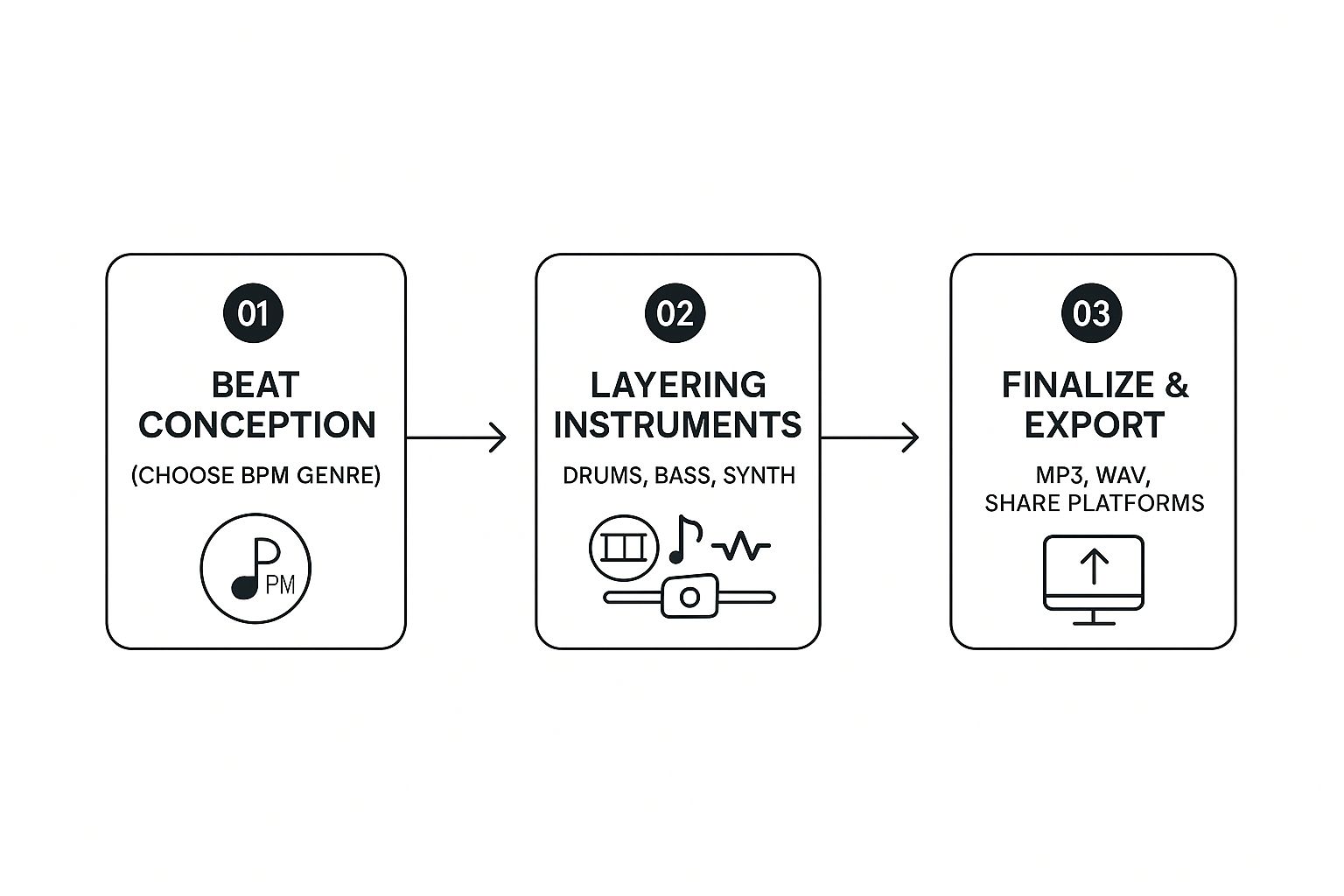
As you can see, it's a logical path from inspiration to a final song file you can share with the world.
Crafting the Bassline and Melody
With your drums knocking, it’s time to add the bass. You want the bassline to lock in with the kick drum, not fight against it for space. A good rule of thumb is to have some of your main bass notes land at the same time as the kick. This glues the low-end together and gives the track that powerful forward momentum.
Think of the bass as the bridge connecting your rhythm with your melody. It lays down the musical groundwork that everything else will sit on.
Next up are the melodic parts—the synths, pianos, or samples that give the beat its unique character and emotion.
Synths: These are your go-to for modern trap and pop-rap vibes. You can use big, atmospheric pads to create a mood or sharp, catchy lead sounds for the hook.
Pianos: I love using pianos for more thoughtful or emotional tracks. Sometimes, a simple piano chord progression is all you need to carry the whole song.
Samples: Chopping up old soul records or weird, obscure sound clips is a time-honored hip-hop tradition. It’s a surefire way to add a flavor that nobody else has.
The real secret is in the layering. Just start with one sound that you really vibe with and build everything else around it. Each new element should support the others, not compete with them.
Using AI to Speed Up the Process
This is where a smart beat-making tool can be a total game-changer. Instead of painstakingly programming every single note yourself, you can get AI-powered suggestions to spark your creativity. Say you’ve got a dope drum pattern but you're stuck on the bassline—the app can generate a few options that perfectly fit your rhythm and key.
This doesn't mean the AI is doing all the work for you. You're still the one in the driver's seat, free to tweak, edit, or completely ignore any suggestion it gives you. It's more like having a co-producer in your pocket, ready to throw out ideas when you hit a wall. If you’re just starting out, our complete guide to beat making for beginners can walk you through all the fundamentals.
Ready to build your first track? You can start layering drums, bass, and melodies right now. Download Lyric Studio free on iOS to turn your ideas into a finished beat. The app is free to download and use, with optional in-app purchases if you want to unlock more features.
Adding That Professional Polish to Your Tracks
Alright, so you've got a solid beat. The drums are hitting hard, and the bassline is heavy. That’s a fantastic starting point, but let's be real—it's the final polish that turns a good demo into a track people actually want to listen to on repeat. The small details are everything.
The first big step is to stop thinking in terms of a simple loop. A real song has a structure; it builds, it breaks down, it tells a story. You need to think about how to build energy and keep your listener locked in.
Arranging Your Beat Into a Full Song
A song's structure is its roadmap. It guides the listener through the experience you're creating. Most rap songs follow a classic pattern that you can easily build right inside a modern beat maker for rappers.
Intro: This sets the tone. It might be a stripped-back melodic piece or just the drum pattern to build tension before the verse hits.
Verse: This is where the story unfolds. You want the beat to be steady here, leaving plenty of space for the vocals to shine.
Chorus: This is the hook, the part everyone remembers. Make it feel bigger. Add extra layers—maybe some synth pads, backing vocals, or a slick drum fill.
Outro: This is your chance to bring the track to a satisfying close. You could fade the beat out, drop instruments one by one, or just end it cold on one final, powerful sound.
When you arrange your beat like this, you're transforming a repetitive loop into a dynamic song that keeps people engaged from the first second to the last.
Using Effects to Add Depth and Clarity
Think of effects as the seasoning for your beat. They add the flavor and character that make it unique. Two of the most important tools in your arsenal for getting that pro sound are reverb and equalization (EQ).
Reverb is all about creating space. A touch of reverb on a snare can make it feel like it's booming in a huge hall. A little on a piano can give it a dreamy, atmospheric quality.
EQ, on the other hand, is about carving out a space for each instrument so they aren't fighting each other. For instance, you can use an EQ to cut some of the low frequencies from your synth melody. Why? To make more room for the bassline to really punch through. This is how you make sure every element in your mix can be heard clearly.
Think of mixing as creating a three-dimensional space for your sound. EQ handles the vertical placement (high to low frequencies), while reverb and panning handle the depth and width (close to far away, left to right).
The hip-hop scene is packed with talent. In the US alone, hip-hop accounted for 30.2% of all on-demand streams in 2020. If you want to stand out, a high-quality, polished sound isn't optional—it's essential. You can learn more about hip-hop's dominance in the music industry on harlembling.com.
Thankfully, a lot of beat-making apps now come with smart mixing features. These tools can analyze your track and suggest settings for EQ and compression to help everything sound balanced and professional, no audio engineering degree required. It puts the power to create a polished final track right in your hands.
Ready to give your music that final shine? Download Lyric Studio free on iOS and start exploring the tools that will take your beats to the next level. Just a heads up, there are in-app purchases for some of the more advanced features.
Connecting Your Beat with Powerful Lyrics
Let's be real—a beat is only half the battle. A truly great track happens when the instrumental and the bars lock in perfectly, telling one cohesive story. The best way to make that happen? Create your beat and start writing to it in the same creative space.
When you can jump straight from tweaking a drum pattern to laying down lyrics, the inspiration just flows differently. You're not exporting an MP3, fumbling to import it somewhere else, and then trying to get back into the zone. You're writing while the vibe is still fresh, letting the rhythm and melody guide your words from the jump.
Writing Lyrics That Fit the Vibe
So, you just cooked up a dark, moody instrumental. An integrated tool shouldn't just give you a blank text box. It should help you find the right words to match that specific feeling. This is where AI can be a game-changer.
Tools like Lyric Studio offer AI-driven, context-aware lyric suggestions that actually understand the theme you’re going for. If your beat is aggressive, the suggestions will match that energy. If it’s more introspective, you’ll get ideas that fit that mood. It’s like having a brainstorming partner who’s already on your wavelength.
This isn't about AI writing the song for you. It's a creative prompt. Think of it as a spark to explore angles you might not have considered, making sure your beat and your bars are a perfect match.
This kind of tight integration is what makes a track feel complete. For a deeper dive on this, our guide on how to write lyrics to a beat covers even more techniques to get your words and music in sync.
Overcoming Writer's Block Instantly
Every artist has been there: you’ve got a fire beat on loop, but you're just staring at a blank page. Writer's block is the ultimate vibe killer, but it doesn’t have to derail your session.
This is where a feature like the “Magic Draft” in Lyric Studio can save the day. Just drop in a few keywords, tap a button, and it instantly generates a first verse and chorus to get you started. It’s not about finding the final lyrics, but about giving you an immediate structure to build on, tear apart, or use as a launchpad for a totally new idea.
On top of that, having integrated rhyme and thesaurus tools is huge. No more bouncing between three different apps just to find that one perfect word. You can polish your wordplay and lock in your rhyme scheme without ever breaking your creative flow.
The whole point is to make the tech feel invisible, giving you a clear, straight line from beat creation to finished song.
For a clearer picture, here’s a quick rundown of how the creative tools in Lyric Studio bridge the gap between beat making and lyric writing.
Lyric Studio Creative Assistant Features
Feature | How It Helps Your Songwriting | Best For |
|---|---|---|
Contextual Suggestions | Provides AI-driven lyric ideas based on your theme, ensuring the words match the music's mood. | Finding the right tone and staying on-topic. |
Magic Draft | Instantly generates a full verse and chorus from keywords to break writer's block. | Getting unstuck and quickly building a song structure. |
Integrated Rhyme Finder | Suggests rhymes directly in the editor, so you never have to leave your workflow. | Perfecting your rhyme schemes and maintaining flow. |
Built-in Thesaurus | Helps you find the perfect word to express an idea without switching apps. | Refining your word choice and adding lyrical depth. |
These features work together to create a powerful, all-in-one environment where your musical and lyrical ideas can come together effortlessly.
Ready to connect your instrumentals with powerful words? Download Lyric Studio free on iOS and see what a seamless songwriting workflow feels like. The app is free to download, with options for in-app purchases to unlock more advanced features.
Getting Your Finished Track Out to the World
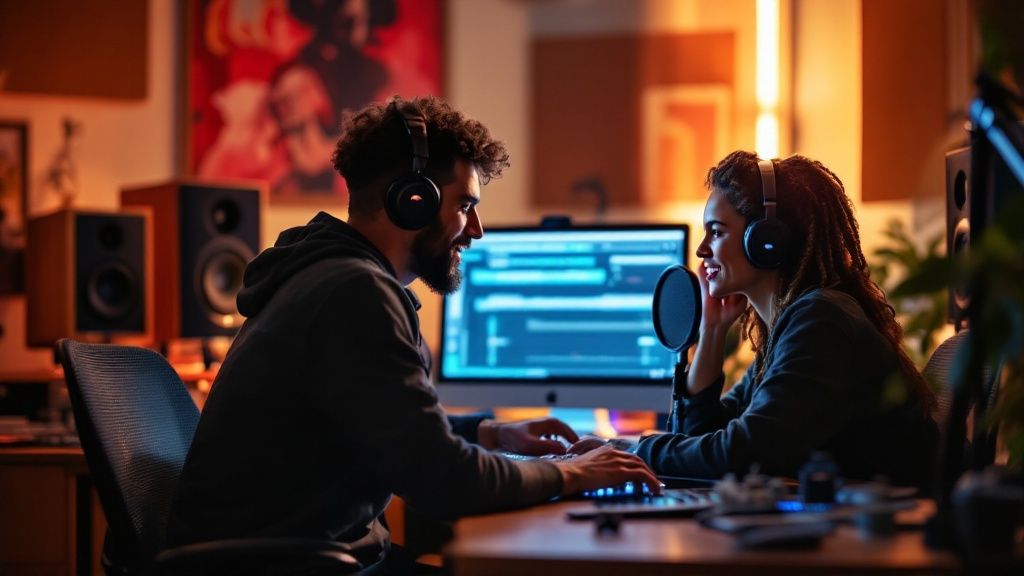
Alright, you've put in the work. The beat is solid, the lyrics are tight, and you've mixed everything down. Now what? It's time to get your track out of the app and into the ears of your listeners.
A good beat maker for rappers won't leave you hanging at this final step. It should make exporting your music straightforward, with clear options for whatever you plan to do next—whether that's sending it to a friend or uploading it to Spotify.
Should You Export as MP3 or WAV?
One of the first choices you'll make is the file format. This might seem like a small technical detail, but it makes a huge difference in sound quality and where you can send your music.
Let’s break down the two main options you'll see:
MP3 (Compressed): Think of MP3s as your everyday, easy-to-share format. They are much smaller files, which is perfect for emailing a demo to a producer, posting a snippet on Instagram, or just sending it to your friends for quick feedback. The catch? Some audio data is stripped out to keep the file size small, so you lose a bit of quality.
WAV (Uncompressed): This is the one you want for anything serious. WAV files are the full-quality, professional-grade audio files. They’re big because they contain every single bit of the original sound. This is the format you must use for uploading to streaming platforms or sending to an engineer for professional mixing and mastering.
Here's my rule of thumb: Use MP3s for casual sharing and demos. But always export a final master copy as a WAV. You can always make an MP3 from a WAV, but you can never get that lost quality back.
A Quick Word on Staying Organized
How you name and send your files matters more than you think. It's the difference between looking like an amateur and a pro who's ready for business.
Get into the habit of using a clean, consistent naming structure. Something simple like YourName_TrackTitle_Final.wav works perfectly. It's instantly recognizable and keeps you from accidentally sending the wrong version.
When it's time to send those large WAV files, email isn't always your best friend. For a much smoother and more reliable process, look into dedicated file sharing services that are built to handle big files without a fuss.
From a simple idea to a finished song ready for the world, the whole process can happen right from your phone. Your voice is ready, and your next banger is just waiting to be made.
Ready to make it happen? Download Lyric Studio free on iOS to start creating today. (The app is free to download; in-app purchases may apply).
Got Questions? We've Got Answers
Seriously, can I make a legit, pro-sounding beat on just my phone?
You absolutely can. It's easy to forget that the gear we carry in our pockets now is more powerful than entire studios from a decade ago. The best beat-making apps for rappers pack in studio-quality drum kits, synths, and mixing tools.
This means you can lay down a professional-sounding track anywhere—on the bus, in your bedroom, wherever inspiration hits. It's a whole new game.
What if I'm a rapper, not a musician? Do I need music theory?
Nope, not at all. That's the beauty of these tools. They're built for creators and lyricists, not necessarily for classically trained musicians.
Features like AI-powered chord progressions and genre & mood customization handle the heavy lifting. You bring the creative vision and the feel; the app helps you build the foundation for your lyrics without you ever needing to know what a C-sharp minor scale is.
Ready to put your words to a fire beat? With Lyric Studio, you can write your rhymes and produce the track all in one spot. Download Lyric Studio for free on iOS and start creating. (Note: In-app purchases may apply.)

SCAN TO GET